
July 7, 2026
- Flask
- Python
- SQLite
- crud
- todo-app
- Web Development
- jinja
1. Problem Statement
A task list may begin as a note on paper, a spreadsheet, or a list in a messaging app. Those approaches become difficult to manage when a person needs to:
- add tasks quickly;
- see which tasks are still open;
- change task details or due dates;
- mark work as complete;
- remove tasks that are no longer relevant; and
- keep the data after the browser is closed.
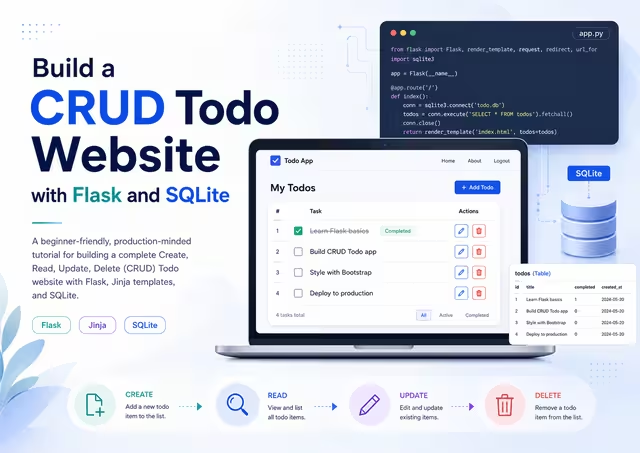
A CRUD Todo website solves this problem by providing a small web interface connected to a persistent database.
CRUD stands for:
| Operation | Meaning | Todo Example |
|---|---|---|
| Create | Add new data | Create a new task |
| Read | Retrieve and display data | View the task list |
| Update | Change existing data | Edit a task or mark it complete |
| Delete | Remove data | Delete a task |
The goal is to create the smallest application that performs all four operations correctly and safely, while using an architecture that is easy to understand and expand.
2. Brief Description of the Solution
The application uses the following stack:
- Python as the programming language.
- Flask as the web framework and routing layer.
- Jinja templates, included with Flask, to render HTML pages.
- SQLite as a file-based relational database.
- HTML and CSS for the user interface.
The site has these user-facing features:
- Create a task with a title, optional description, priority, and optional due date.
- View open and completed tasks on the home page.
- Edit a task.
- Toggle a task between complete and incomplete.
- Delete a task after confirmation.
- Store all tasks in a local SQLite database file.
This tutorial deliberately uses Python's built-in sqlite3 module rather than an ORM. That makes the database behavior visible and teaches the core SQL needed for a CRUD application. Flask's official documentation recommends opening database connections when needed and closing them at the end of the request; this implementation follows that pattern. Flask SQLite pattern
3. Architecture Plan
3.1 High-Level Architecture
┌─────────────────────┐
│   Web Browser       │
│ HTML / CSS / Forms  │
└──────────┬──────────┘
           │ HTTP request / response
           ▼
┌─────────────────────┐
│ Flask Application   │
│ app.py              │
│ - Routes            │
│ - Validation        │
│ - Database helpers  │
└──────────┬──────────┘
           │ Parameterized SQL
           ▼
┌─────────────────────┐
│ SQLite Database     │
│ instance/todo.db    │
│ - todos table       │
└─────────────────────┘
3.2 Request Flow
User submits form
      │
      ▼
Flask route receives request
      │
      ▼
Validate submitted values
      │
      ├── Invalid → show an error message
      │
      └── Valid → execute parameterized SQL
                         │
                         ▼
                  Commit SQLite transaction
                         │
                         ▼
                 Redirect to updated task list
3.3 Route Map
| HTTP Method | Route | Purpose | CRUD Operation |
|---|---|---|---|
GET | / | Display all tasks | Read |
POST | /todos | Create a task | Create |
GET | /todos/<id>/edit | Show edit form | Read |
POST | /todos/<id>/edit | Save task changes | Update |
POST | /todos/<id>/toggle | Mark complete/incomplete | Update |
POST | /todos/<id>/delete | Delete task | Delete |
POST | /seed | Insert demo tasks in development | Create |
3.4 Data Model
The application requires one table: todos.
todos
├── id           INTEGER primary key
├── title        TEXT required
├── description  TEXT optional
├── priority     TEXT required
├── due_date     TEXT optional, ISO date format YYYY-MM-DD
├── completed    INTEGER required, 0=false and 1=true
├── created_at   TEXT required, UTC timestamp
└── updated_at   TEXT required, UTC timestamp
4. Prerequisites
Install the following before starting:
- Python 3.10 or later
pip- A terminal such as Terminal, iTerm, PowerShell, or VS Code terminal
Check the Python version:
python3 --versionSQLite does not require a separate application server in this tutorial. Python includes the sqlite3 module in standard CPython installations, and SQLite stores data in a local file. Python sqlite3 documentation
5. Create the Project
Create the folders and files:
mkdir flask-todo-crud
cd flask-todo-crud

mkdir -p templates static instance
touch app.py requirements.txt schema.sql seed.sql
touch templates/base.html templates/index.html templates/edit.html
touch static/style.css
The resulting structure should look like this:
flask-todo-crud/
├── app.py
├── requirements.txt
├── schema.sql
├── seed.sql
├── instance/
│   └── todo.db                 # Created after database initialization
├── static/
│   └── style.css
└── templates/
    ├── base.html
    ├── index.html
    └── edit.html
6. Create and Activate a Virtual Environment
A virtual environment isolates this project's Python packages from other projects.
python3 -m venv .venvActivate it on macOS or Linux:
source .venv/bin/activateActivate it on Windows PowerShell:
.venv\Scripts\Activate.ps1Upgrade pip:
python -m pip install --upgrade pip7. Add Dependencies
Create requirements.txt:
Flask>=3.1,<4.0Install the dependency:
pip install -r requirements.txt8. Create the SQLite Schema
Create schema.sql:
DROP TABLE IF EXISTS todos;

CREATE TABLE todos (
    id INTEGER PRIMARY KEY AUTOINCREMENT,
    title TEXT NOT NULL CHECK (length(trim(title)) > 0),
    description TEXT,
    priority TEXT NOT NULL DEFAULT 'medium'
        CHECK (priority IN ('low', 'medium', 'high')),
    due_date TEXT,
    completed INTEGER NOT NULL DEFAULT 0
        CHECK (completed IN (0, 1)),
    created_at TEXT NOT NULL,
    updated_at TEXT NOT NULL
);

CREATE INDEX idx_todos_completed ON todos (completed);
CREATE INDEX idx_todos_due_date ON todos (due_date);
Schema Design Notes
iduniquely identifies every task.titleis required and cannot be empty after whitespace is removed.priorityis limited tolow,medium, orhigh.completeduses0for false and1for true because SQLite does not have a separate Boolean storage class.created_atandupdated_atmake future auditing and sorting easier.- Indexes help queries that filter by completion status or sort/filter by due date as the table grows.
9. Add Sample Data
Create seed.sql:
INSERT INTO todos (
    title,
    description,
    priority,
    due_date,
    completed,
    created_at,
    updated_at
)
VALUES
(
    'Build the Flask Todo website',
    'Create the initial CRUD routes, templates, and SQLite schema.',
    'high',
    '2026-07-10',
    0,
    '2026-07-06T18:00:00+00:00',
    '2026-07-06T18:00:00+00:00'
),
(
    'Review SQLite queries',
    'Confirm every query uses SQL parameters instead of string concatenation.',
    'medium',
    '2026-07-12',
    0,
    '2026-07-06T18:00:00+00:00',
    '2026-07-06T18:00:00+00:00'
),
(
    'Write project README',
    'Document installation, setup, and local run commands.',
    'low',
    NULL,
    1,
    '2026-07-06T18:00:00+00:00',
    '2026-07-06T18:00:00+00:00'
);
The application below includes commands that initialize the schema and load this sample data.
10. Build the Flask Application
Create app.py:
from __future__ import annotations

import sqlite3
from datetime import UTC, datetime
from pathlib import Path
from typing import Any

from flask import Flask, abort, current_app, flash, g, redirect, render_template, request, url_for


BASE_DIR = Path(__file__).resolve().parent
DATABASE_PATH = BASE_DIR / "instance" / "todo.db"
VALID_PRIORITIES = {"low", "medium", "high"}


def utc_now() -> str:
    """Return an ISO 8601 UTC timestamp."""
    return datetime.now(UTC).isoformat()


def create_app() -> Flask:
    app = Flask(__name__, instance_relative_config=True)

    # Replace this value with a long random secret before deployment.
    app.config.from_mapping(
        SECRET_KEY="development-only-change-me",
        DATABASE=str(DATABASE_PATH),
    )

    Path(app.instance_path).mkdir(parents=True, exist_ok=True)
    register_database(app)
    register_routes(app)
    register_cli_commands(app)

    return app


def register_database(app: Flask) -> None:
    """Register SQLite helpers for one connection per request/app context."""

    def get_db() -> sqlite3.Connection:
        if "db" not in g:
            connection = sqlite3.connect(app.config["DATABASE"])
            connection.row_factory = sqlite3.Row
            g.db = connection
        return g.db

    def close_db(_error: BaseException | None = None) -> None:
        connection = g.pop("db", None)
        if connection is not None:
            connection.close()

    app.get_db = get_db  # type: ignore[attr-defined]
    app.teardown_appcontext(close_db)


def get_db() -> sqlite3.Connection:
    """Return the current request's database connection."""
    return current_app.get_db()  # type: ignore[attr-defined]


def find_todo(todo_id: int) -> sqlite3.Row:
    todo = get_db().execute(
        """
        SELECT id, title, description, priority, due_date, completed, created_at, updated_at
        FROM todos
        WHERE id = ?
        """,
        (todo_id,),
    ).fetchone()

    if todo is None:
        abort(404, description=f"Todo {todo_id} was not found.")

    return todo


def validate_todo_form(form: Any) -> tuple[dict[str, str | None], list[str]]:
    """Validate form fields and return normalized values plus error messages."""
    title = form.get("title", "").strip()
    description = form.get("description", "").strip()
    priority = form.get("priority", "medium").strip().lower()
    due_date = form.get("due_date", "").strip()

    errors: list[str] = []

    if not title:
        errors.append("A task title is required.")
    elif len(title) > 200:
        errors.append("The title must be 200 characters or fewer.")

    if priority not in VALID_PRIORITIES:
        errors.append("Priority must be low, medium, or high.")

    if due_date:
        try:
            datetime.strptime(due_date, "%Y-%m-%d")
        except ValueError:
            errors.append("Due date must use the YYYY-MM-DD format.")

    values: dict[str, str | None] = {
        "title": title,
        "description": description or None,
        "priority": priority,
        "due_date": due_date or None,
    }
    return values, errors


def register_routes(app: Flask) -> None:
    @app.get("/")
    def index() -> str:
        todos = get_db().execute(
            """
            SELECT id, title, description, priority, due_date, completed, created_at, updated_at
            FROM todos
            ORDER BY completed ASC,
                     CASE priority
                         WHEN 'high' THEN 1
                         WHEN 'medium' THEN 2
                         WHEN 'low' THEN 3
                     END ASC,
                     due_date IS NULL ASC,
                     due_date ASC,
                     id DESC
            """
        ).fetchall()

        return render_template("index.html", todos=todos)

    @app.post("/todos")
    def create_todo() -> Any:
        values, errors = validate_todo_form(request.form)

        if errors:
            for error in errors:
                flash(error, "error")
            return redirect(url_for("index"))

        now = utc_now()
        get_db().execute(
            """
            INSERT INTO todos (
                title, description, priority, due_date, completed, created_at, updated_at
            )
            VALUES (?, ?, ?, ?, 0, ?, ?)
            """,
            (
                values["title"],
                values["description"],
                values["priority"],
                values["due_date"],
                now,
                now,
            ),
        )
        get_db().commit()

        flash("Task created.", "success")
        return redirect(url_for("index"))

    @app.get("/todos/<int:todo_id>/edit")
    def edit_todo(todo_id: int) -> str:
        return render_template("edit.html", todo=find_todo(todo_id))

    @app.post("/todos/<int:todo_id>/edit")
    def update_todo(todo_id: int) -> Any:
        find_todo(todo_id)
        values, errors = validate_todo_form(request.form)

        if errors:
            for error in errors:
                flash(error, "error")
            return redirect(url_for("edit_todo", todo_id=todo_id))

        get_db().execute(
            """
            UPDATE todos
            SET title = ?,
                description = ?,
                priority = ?,
                due_date = ?,
                updated_at = ?
            WHERE id = ?
            """,
            (
                values["title"],
                values["description"],
                values["priority"],
                values["due_date"],
                utc_now(),
                todo_id,
            ),
        )
        get_db().commit()

        flash("Task updated.", "success")
        return redirect(url_for("index"))

    @app.post("/todos/<int:todo_id>/toggle")
    def toggle_todo(todo_id: int) -> Any:
        todo = find_todo(todo_id)
        new_status = 0 if todo["completed"] else 1

        get_db().execute(
            """
            UPDATE todos
            SET completed = ?, updated_at = ?
            WHERE id = ?
            """,
            (new_status, utc_now(), todo_id),
        )
        get_db().commit()

        flash("Task status updated.", "success")
        return redirect(url_for("index"))

    @app.post("/todos/<int:todo_id>/delete")
    def delete_todo(todo_id: int) -> Any:
        find_todo(todo_id)

        get_db().execute("DELETE FROM todos WHERE id = ?", (todo_id,))
        get_db().commit()

        flash("Task deleted.", "success")
        return redirect(url_for("index"))

    @app.post("/seed")
    def seed_database() -> Any:
        """Development convenience route. Remove or protect in production."""
        seed_path = BASE_DIR / "seed.sql"
        get_db().executescript(seed_path.read_text(encoding="utf-8"))
        get_db().commit()

        flash("Sample tasks inserted.", "success")
        return redirect(url_for("index"))


def register_cli_commands(app: Flask) -> None:
    @app.cli.command("init-db")
    def init_db_command() -> None:
        """Create a fresh database using schema.sql."""
        schema_path = BASE_DIR / "schema.sql"
        db_path = Path(app.config["DATABASE"])
        db_path.parent.mkdir(parents=True, exist_ok=True)

        with app.app_context():
            db = app.get_db()  # type: ignore[attr-defined]
            db.executescript(schema_path.read_text(encoding="utf-8"))
            db.commit()

        print(f"Initialized database: {db_path}")

    @app.cli.command("seed-db")
    def seed_db_command() -> None:
        """Insert the sample tasks from seed.sql."""
        seed_path = BASE_DIR / "seed.sql"

        with app.app_context():
            db = app.get_db()  # type: ignore[attr-defined]
            db.executescript(seed_path.read_text(encoding="utf-8"))
            db.commit()

        print("Inserted sample tasks.")


app = create_app()


if __name__ == "__main__":
    app.run(debug=True)
Why This Code Is Structured This Way
create_app()uses an application factory pattern, which keeps configuration and setup organized as the project grows.gstores one SQLite connection per Flask request or application context.row_factory = sqlite3.Rowallows column access such astodo["title"].?placeholders are parameterized SQL values. Never use string formatting to insert form values into SQL.- POST routes change state. GET routes only read and display data.
redirect()after a successful POST follows the Post/Redirect/Get pattern, preventing accidental duplicate submissions during a browser refresh.flash()provides a simple confirmation or validation message to the user.
11. Create the Shared Layout Template
Create templates/base.html:
<!doctype html>
<html lang="en">
<head>
  <meta charset="utf-8">
  <meta name="viewport" content="width=device-width, initial-scale=1">

  <title>{% block title %}Flask Todo{% endblock %}</title>
  <meta name="description" content="A simple Todo application built with Flask and SQLite.">

  <link rel="stylesheet" href="{{ url_for('static', filename='style.css') }}">
</head>
<body>
  <header class="site-header">
    <div class="container">
      <a class="brand" href="{{ url_for('index') }}">Flask Todo</a>
      <p class="tagline">A minimal CRUD task manager</p>
    </div>
  </header>

  <main class="container">
    {% with messages = get_flashed_messages(with_categories=true) %}
      {% if messages %}
        <section aria-live="polite">
          {% for category, message in messages %}
            <div class="flash flash-{{ category }}">{{ message }}</div>
          {% endfor %}
        </section>
      {% endif %}
    {% endwith %}

    {% block content %}{% endblock %}
  </main>

  <footer class="site-footer">
    <div class="container">
      <small>Built with Flask and SQLite.</small>
    </div>
  </footer>
</body>
</html>
12. Create the Todo List Template
Create templates/index.html:
{% extends "base.html" %}

{% block title %}Todo List | Flask Todo{% endblock %}

{% block content %}
<section class="panel">
  <h1>My Tasks</h1>
  <p class="muted">Create, update, complete, and delete tasks from one page.</p>

  <form class="todo-form" method="post" action="{{ url_for('create_todo') }}">
    <div class="form-row">
      <label for="title">Task title <span aria-hidden="true">*</span></label>
      <input
        id="title"
        name="title"
        type="text"
        maxlength="200"
        required
        placeholder="Example: Finish the Flask CRUD tutorial"
      >
    </div>

    <div class="form-row">
      <label for="description">Description</label>
      <textarea
        id="description"
        name="description"
        rows="3"
        placeholder="Optional notes about the task"
      ></textarea>
    </div>

    <div class="form-grid">
      <div class="form-row">
        <label for="priority">Priority</label>
        <select id="priority" name="priority">
          <option value="low">Low</option>
          <option value="medium" selected>Medium</option>
          <option value="high">High</option>
        </select>
      </div>

      <div class="form-row">
        <label for="due_date">Due date</label>
        <input id="due_date" name="due_date" type="date">
      </div>
    </div>

    <button class="button button-primary" type="submit">Add Task</button>
  </form>
</section>

<section class="task-section">
  <div class="section-heading">
    <h2>All Tasks</h2>
    <span class="count">{{ todos|length }}</span>
  </div>

  {% if todos %}
    <div class="task-list">
      {% for todo in todos %}
        <article class="task-card {% if todo['completed'] %}task-complete{% endif %}">
          <div class="task-main">
            <div class="task-title-row">
              <h3>{{ todo["title"] }}</h3>
              <span class="priority priority-{{ todo['priority'] }}">
                {{ todo["priority"] }}
              </span>
            </div>

            {% if todo["description"] %}
              <p>{{ todo["description"] }}</p>
            {% endif %}

            <div class="task-meta">
              {% if todo["due_date"] %}
                <span>Due: {{ todo["due_date"] }}</span>
              {% else %}
                <span>No due date</span>
              {% endif %}

              <span>
                {% if todo["completed"] %}
                  Completed
                {% else %}
                  Open
                {% endif %}
              </span>
            </div>
          </div>

          <div class="task-actions">
            <form method="post" action="{{ url_for('toggle_todo', todo_id=todo['id']) }}">
              <button class="button button-secondary" type="submit">
                {% if todo["completed"] %}Reopen{% else %}Complete{% endif %}
              </button>
            </form>

            <a class="button button-secondary" href="{{ url_for('edit_todo', todo_id=todo['id']) }}">
              Edit
            </a>

            <form
              method="post"
              action="{{ url_for('delete_todo', todo_id=todo['id']) }}"
              onsubmit="return confirm('Delete this task permanently?');"
            >
              <button class="button button-danger" type="submit">Delete</button>
            </form>
          </div>
        </article>
      {% endfor %}
    </div>
  {% else %}
    <div class="empty-state">
      <p>No tasks yet. Add your first task above.</p>
    </div>
  {% endif %}
</section>
{% endblock %}
13. Create the Edit Template
Create templates/edit.html:
{% extends "base.html" %}

{% block title %}Edit Task | Flask Todo{% endblock %}

{% block content %}
<section class="panel">
  <h1>Edit Task</h1>
  <p class="muted">Update the task information, then save your changes.</p>

  <form
    class="todo-form"
    method="post"
    action="{{ url_for('update_todo', todo_id=todo['id']) }}"
  >
    <div class="form-row">
      <label for="title">Task title <span aria-hidden="true">*</span></label>
      <input
        id="title"
        name="title"
        type="text"
        maxlength="200"
        required
        value="{{ todo['title'] }}"
      >
    </div>

    <div class="form-row">
      <label for="description">Description</label>
      <textarea id="description" name="description" rows="4">{{ todo["description"] or "" }}</textarea>
    </div>

    <div class="form-grid">
      <div class="form-row">
        <label for="priority">Priority</label>
        <select id="priority" name="priority">
          <option value="low" {% if todo["priority"] == "low" %}selected{% endif %}>Low</option>
          <option value="medium" {% if todo["priority"] == "medium" %}selected{% endif %}>Medium</option>
          <option value="high" {% if todo["priority"] == "high" %}selected{% endif %}>High</option>
        </select>
      </div>

      <div class="form-row">
        <label for="due_date">Due date</label>
        <input
          id="due_date"
          name="due_date"
          type="date"
          value="{{ todo['due_date'] or '' }}"
        >
      </div>
    </div>

    <div class="button-row">
      <button class="button button-primary" type="submit">Save Changes</button>
      <a class="button button-secondary" href="{{ url_for('index') }}">Cancel</a>
    </div>
  </form>
</section>
{% endblock %}
14. Add Basic Styling
Create static/style.css:
:root {
  --page: #f6f7fb;
  --surface: #ffffff;
  --text: #1c2333;
  --muted: #667085;
  --border: #d9deea;
  --primary: #2457d6;
  --primary-hover: #1744b5;
  --danger: #b42318;
  --success-bg: #ecfdf3;
  --success-text: #027a48;
  --error-bg: #fef3f2;
  --error-text: #b42318;
}

* {
  box-sizing: border-box;
}

body {
  margin: 0;
  background: var(--page);
  color: var(--text);
  font-family: Arial, Helvetica, sans-serif;
  line-height: 1.5;
}

.container {
  width: min(100% - 2rem, 960px);
  margin: 0 auto;
}

.site-header {
  background: #172b4d;
  color: #ffffff;
  padding: 1.25rem 0;
}

.brand {
  color: #ffffff;
  font-size: 1.35rem;
  font-weight: 700;
  text-decoration: none;
}

.tagline {
  margin: 0.25rem 0 0;
  color: #dbe6ff;
}

main.container {
  padding: 2rem 0;
}

.site-footer {
  border-top: 1px solid var(--border);
  color: var(--muted);
  margin-top: 2rem;
  padding: 1.25rem 0;
}

.panel,
.task-card,
.empty-state {
  background: var(--surface);
  border: 1px solid var(--border);
  border-radius: 12px;
}

.panel {
  padding: 1.5rem;
}

h1,
h2,
h3 {
  line-height: 1.2;
}

h1 {
  margin-top: 0;
}

.muted,
.task-meta {
  color: var(--muted);
}

.todo-form {
  margin-top: 1.25rem;
}

.form-row {
  display: grid;
  gap: 0.45rem;
  margin-bottom: 1rem;
}

.form-grid {
  display: grid;
  gap: 1rem;
  grid-template-columns: repeat(2, minmax(0, 1fr));
}

label {
  font-weight: 700;
}

input,
textarea,
select {
  width: 100%;
  border: 1px solid var(--border);
  border-radius: 8px;
  font: inherit;
  padding: 0.7rem 0.8rem;
}

textarea {
  resize: vertical;
}

.button-row,
.task-actions {
  align-items: center;
  display: flex;
  flex-wrap: wrap;
  gap: 0.65rem;
}

.button {
  background: #ffffff;
  border: 1px solid var(--border);
  border-radius: 8px;
  color: var(--text);
  cursor: pointer;
  display: inline-block;
  font: inherit;
  font-weight: 700;
  padding: 0.6rem 0.85rem;
  text-decoration: none;
}

.button-primary {
  background: var(--primary);
  border-color: var(--primary);
  color: #ffffff;
}

.button-primary:hover {
  background: var(--primary-hover);
}

.button-danger {
  border-color: var(--danger);
  color: var(--danger);
}

.task-section {
  margin-top: 2rem;
}

.section-heading {
  align-items: center;
  display: flex;
  justify-content: space-between;
  margin-bottom: 0.85rem;
}

.section-heading h2 {
  margin: 0;
}

.count {
  background: #e8efff;
  border-radius: 999px;
  color: #1e429f;
  font-weight: 700;
  padding: 0.2rem 0.65rem;
}

.task-list {
  display: grid;
  gap: 0.85rem;
}

.task-card {
  align-items: flex-start;
  display: flex;
  gap: 1rem;
  justify-content: space-between;
  padding: 1rem;
}

.task-title-row {
  align-items: center;
  display: flex;
  flex-wrap: wrap;
  gap: 0.65rem;
}

.task-title-row h3 {
  margin: 0;
}

.task-main p {
  margin: 0.6rem 0;
}

.task-meta {
  display: flex;
  flex-wrap: wrap;
  gap: 1rem;
  font-size: 0.9rem;
}

.priority {
  border-radius: 999px;
  font-size: 0.8rem;
  font-weight: 700;
  padding: 0.18rem 0.55rem;
  text-transform: capitalize;
}

.priority-high {
  background: #fee4e2;
  color: #b42318;
}

.priority-medium {
  background: #fef0c7;
  color: #93370d;
}

.priority-low {
  background: #eaf7ee;
  color: #157a3c;
}

.task-complete {
  opacity: 0.7;
}

.task-complete h3 {
  text-decoration: line-through;
}

.flash {
  border-radius: 8px;
  font-weight: 700;
  margin-bottom: 1rem;
  padding: 0.85rem 1rem;
}

.flash-success {
  background: var(--success-bg);
  color: var(--success-text);
}

.flash-error {
  background: var(--error-bg);
  color: var(--error-text);
}

.empty-state {
  color: var(--muted);
  padding: 1.25rem;
  text-align: center;
}

@media (max-width: 700px) {
  .form-grid {
    grid-template-columns: 1fr;
  }

  .task-card {
    flex-direction: column;
  }
}
15. Initialize the Database
Set Flask's application module:
export FLASK_APP=app.pyOn Windows PowerShell:
$env:FLASK_APP = "app.py"Create the database from schema.sql:
flask init-dbExpected result:
Initialized database: /path/to/flask-todo-crud/instance/todo.dbLoad sample tasks:
flask seed-dbExpected result:
Inserted sample tasks.16. Run the Application
Start Flask's development server:
flask run --debugOpen this address in a browser:
http://127.0.0.1:5000You should see the sample tasks and an Add Task form.
17. Verify Every CRUD Operation
Use this checklist to confirm the application works.
Create
- Enter a task title.
- Optionally add description, priority, and due date.
- Select Add Task.
- Confirm the task appears in the list.
Read
- Refresh the browser.
- Confirm existing tasks remain visible.
- Restart the Flask application.
- Confirm tasks are still present, proving SQLite persisted them in
instance/todo.db.
Update
- Select Edit on a task.
- Change its title, priority, description, or due date.
- Select Save Changes.
- Confirm the updated values appear on the home page.
- Select Complete to toggle its status.
Delete
- Select Delete on a task.
- Confirm the browser confirmation prompt.
- Confirm the task is removed.
18. Database Queries Behind CRUD
These are the essential database operations used by the application.
Create
INSERT INTO todos (
    title, description, priority, due_date, completed, created_at, updated_at
)
VALUES (?, ?, ?, ?, 0, ?, ?);
Read
SELECT id, title, description, priority, due_date, completed, created_at, updated_at
FROM todos
ORDER BY completed ASC, id DESC;
Update
UPDATE todos
SET title = ?,
    description = ?,
    priority = ?,
    due_date = ?,
    updated_at = ?
WHERE id = ?;
Toggle Completion
UPDATE todos
SET completed = ?,
    updated_at = ?
WHERE id = ?;
Delete
DELETE FROM todos
WHERE id = ?;
The ? placeholders protect against SQL injection by passing values separately from the SQL statement. This is the correct pattern for user-provided data in Python's sqlite3 module.
19. Important Security and Quality Notes
This tutorial is complete enough for local development and learning. Before deploying publicly, add the following protections.
19.1 Use a Real Secret Key
The default key is intentionally marked as development-only:
SECRET_KEY="development-only-change-me"Generate a secure value:
python -c "import secrets; print(secrets.token_hex(32))"Store it in an environment variable rather than committing it to Git.
19.2 Add CSRF Protection
HTML forms that change state should be protected against Cross-Site Request Forgery (CSRF). A common Flask solution is Flask-WTF.
19.3 Add Authentication and Ownership
This example is a single-user task list. For multiple users:
- add a
userstable; - add a
user_idforeign key totodos; - require login before reading or changing tasks; and
- always filter task queries by the logged-in user's ID.
19.4 Keep Using Parameterized SQL
Never do this:
# Unsafe: do not use this pattern.
sql = f"DELETE FROM todos WHERE id = {todo_id}"
Continue to do this:
# Safe: values are passed separately.
db.execute("DELETE FROM todos WHERE id = ?", (todo_id,))
19.5 Use a Production Server
Flask's debug server is for local development only. A production deployment should use a WSGI server such as Gunicorn behind a reverse proxy such as Nginx.
Example Linux command:
gunicorn --workers 2 --bind 127.0.0.1:8000 "app:app"19.6 Know SQLite's Role
SQLite is excellent for local development, prototypes, single-user tools, small internal applications, and low-to-moderate write concurrency. For a public, multi-user application with substantial concurrent writes, use a server database such as PostgreSQL.
20. Recommended Next Features
After the base CRUD functionality is working, consider adding:
- User authentication with secure password hashing.
- Categories, labels, and color-coded tags.
- Search by task title and description.
- Filters for priority, completion state, and due date.
- Pagination for large task lists.
- Repeating tasks.
- Email or push reminders.
- REST API endpoints returning JSON.
- Automated tests with
pytest. - PostgreSQL migration for a multi-user production deployment.
- Docker and Docker Compose for consistent local and production environments.
- Audit history to record who changed a task and when.
21. Troubleshooting
flask: command not found
Your virtual environment may not be activated.
source .venv/bin/activateThen retry:
flask run --debugNo such file or directory: instance/todo.db
Initialize the database:
flask init-dbsqlite3.OperationalError: no such table: todos
The database file exists but the table was not created. Recreate it:
flask init-db
flask seed-db
flask init-dbintentionally drops and recreates thetodostable becauseschema.sqlstarts withDROP TABLE IF EXISTS todos. Do not run it against a database containing tasks you need to keep.
Port 5000 Is Already in Use
Use a different port:
flask run --debug --port 5001Then open:
http://127.0.0.1:500122. Conclusion
You now have a working CRUD Todo website built with Flask and SQLite.
The project demonstrates the full lifecycle of persistent web data:
- Create: add a new task;
- Read: list existing tasks;
- Update: edit a task or change its completion status; and
- Delete: remove a task.
Although the application is intentionally small, it follows useful habits that apply to larger systems: a clear project structure, input validation, parameterized SQL, request-scoped database connections, Post/Redirect/Get behavior, and a database schema that supports future growth.
References
- Flask documentation: Using SQLite 3 with Flask
- Flask documentation: Define and Access the Database
- Python documentation:
sqlite3— DB-API 2.0 interface for SQLite databases - Flask documentation: Quickstart