
July 7, 2026
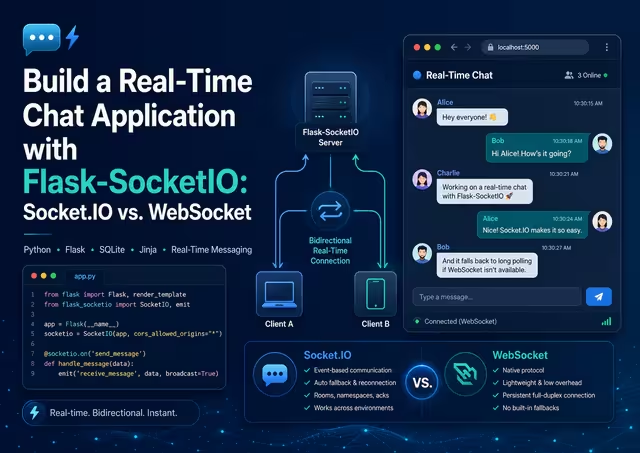
Build a Real-Time Chat Application with Flask-SocketIO: Socket.IO vs. WebSocket
1. Introduction
A chat interface feels simple only when the application can deliver messages instantly. Traditional web pages are request-response systems: a browser asks for data, the server replies, and the connection ends. That model works for forms and reports, but it becomes awkward when users expect new messages to appear without refreshing the page.
WebSocket solves this by creating a persistent, two-way connection between a browser and server. Socket.IO is a higher-level event-based library that commonly uses WebSocket when possible while also providing features such as named events, reconnection behavior, rooms, and transport fallback. Socket.IO is not the same protocol as a plain WebSocket connection, so a native browser WebSocket client cannot communicate directly with a Socket.IO server.
In this article, you will build LiveRoom, a small real-time chat application using Python, Flask, Flask-SocketIO, SQLite, HTML, CSS, and Jinja templates. Users can create, view, rename, and delete chat rooms. Within a room, they can select a display name and send messages that appear immediately for everyone viewing that room.
You will also learn how to decide between raw WebSocket and Socket.IO for a real project.
2. Problem Statement
Teams, clubs, classrooms, event groups, and small internal organizations often need a lightweight shared discussion space. Without one, people rely on fragmented email threads, text-message groups, spreadsheets, or repeated page refreshes to learn whether someone posted an update.
Those approaches create practical problems:
- Email is not a live conversation surface and becomes difficult to follow.
- Spreadsheet comments are not designed for instant, conversational updates.
- Polling a server every few seconds wastes requests and still introduces delay.
- A plain HTML form can save a message, but other users do not see it until they reload.
- Building raw WebSocket infrastructure requires an application to design its own message formats, reconnection behavior, and room-based message routing.
LiveRoom addresses this by combining a conventional Flask application for room management with Socket.IO events for real-time message delivery. The intended users are small groups that need a clear demonstration, prototype, or internal-tool foundation for real-time discussion.
Scope note: This tutorial intentionally has no authentication. A display name is selected per browser session. That keeps the core project understandable, but production guidance later explains what must be added before public deployment.
3. Solution Overview
LiveRoom separates persistent data from live delivery:
- A visitor opens the home page and sees existing chat rooms.
- The visitor creates a room or opens an existing room.
- On the room page, the visitor enters a display name.
- The page creates a Socket.IO connection and asks to join that room.
- The server loads recent SQLite messages and emits them only to that room.
- When a visitor sends a message, the server validates it, saves it in SQLite, and broadcasts the saved message to every connected participant in the same room.
- Room names can be updated and rooms can be deleted through standard Flask form routes.
The result is a deliberately small, complete application with two interaction styles:
- HTTP routes and forms for durable room CRUD operations.
- Socket.IO events for low-latency, real-time message activity.
Why this tutorial chooses Socket.IO
Raw WebSocket is a strong choice when you need complete control over the protocol, have a simple and well-defined message format, or must work with a WebSocket-only service. Socket.IO is often a better starting point for a browser-based chat application because it provides an event abstraction and room targeting that reduce application code.
| Decision factor | Raw WebSocket | Socket.IO |
|---|---|---|
| Core concept | A persistent, full-duplex protocol connection | An event-driven library built on transport management |
| Browser API | Native WebSocket object | Socket.IO browser client |
| Message model | You define payload shapes and routing conventions | Named events with structured payloads |
| Reconnection | You implement it | Provided by the client library |
| HTTP long-polling fallback | You implement or omit it | Available through the Socket.IO stack |
| Rooms / broadcast groups | You design and maintain them | First-class server-side rooms |
| Protocol compatibility | Native WebSocket clients talk to native WebSocket servers | Socket.IO client and server must use compatible Socket.IO versions |
| Best fit | Custom protocols, simple controlled environments, protocol-level interoperability | Chat, live dashboards, collaboration tools, notifications, and rapid real-time product development |
For LiveRoom, Socket.IO is chosen because room membership, broadcasts, reconnect handling, and named events are central to the application.
4. Features
Core features
- Create named chat rooms with a short optional description.
- Read a room directory and recent messages.
- Update a room name and description.
- Delete a room and its related messages.
- Join one room at a time through Socket.IO.
- Send messages in real time to everyone in the same room.
- Persist messages in SQLite so they remain available after a restart.
- Show connection status in the browser.
- Validate room names, display names, and message content.
- Display server-side errors without inserting invalid data.
CRUD capabilities
| CRUD action | Application behavior |
|---|---|
| Create | Create a chat room through the room form. Create a chat message through the Socket.IO send_message event. |
| Read | View all rooms on the home page. Open a room and load its recent persisted messages. |
| Update | Rename a room or change its description through the edit page. |
| Delete | Delete a room using a confirmation form. Its related messages are removed automatically through the foreign-key relationship. |
Validation and usability behavior
- Room names are required, trimmed, and limited to 80 characters.
- Room descriptions are optional and limited to 240 characters.
- Display names are required before a visitor can join a room and are limited to 40 characters.
- Messages are required, trimmed, and limited to 1,000 characters.
- Duplicate room names are rejected by both application validation and a database
UNIQUEconstraint. - A visitor cannot send a message until the server confirms that the socket joined the selected room.
- The browser disables the message input while disconnected.
- A server-side Socket.IO error is displayed in the page status area.
5. Technology Stack
| Technology | Role in LiveRoom | Why it was selected |
|---|---|---|
| Python 3.11+ | Application language | Readable, widely used, and well suited to Flask development. |
| Flask | HTTP web framework | Provides straightforward routes, form handling, Jinja templates, and request validation. |
| Flask-SocketIO | Real-time server extension | Adds Socket.IO event handlers and room broadcasting to a Flask application. |
| Socket.IO browser client | Real-time browser connection | Connects the chat page to the Flask-SocketIO server and exchanges named events. |
| SQLite | Persistent database | Requires no separate database server and is ideal for a learning project or small prototype. |
| Jinja templates | Server-rendered HTML | Keeps the frontend minimal and lets Flask safely render initial room and message data. |
| HTML/CSS/vanilla JavaScript | User interface | Avoids a frontend build pipeline while still providing a polished interactive experience. |
Socket.IO versus WebSocket in this stack
The browser uses the Socket.IO client library rather than new WebSocket(...). Flask-SocketIO implements a compatible Socket.IO server. This is important: Socket.IO adds its own handshake, packet format, and event semantics; it should not be treated as a drop-in replacement for a raw WebSocket endpoint.
6. Architecture Plan
Architecture diagram
┌───────────────────────────────────────────────────────────────┐
│ Browser                                                        │
│ ┌───────────────────┐       ┌──────────────────────────────┐ │
│ │ Jinja HTML/CSS    │ HTTP  │ Flask routes                 │ │
│ │ Room CRUD forms   │──────▶│ /, /rooms/new, /rooms/<id>   │ │
│ └───────────────────┘       └──────────────┬───────────────┘ │
│                                             │                 │
│ ┌───────────────────┐ Socket.IO events      │                 │
│ │ socket.io client  │◀──────────────────────▶│ Flask-SocketIO │ │
│ │ join_room         │                       │ handlers        │ │
│ │ send_message      │                       └────────┬────────┘ │
│ └───────────────────┘                                │          │
└───────────────────────────────────────────────────────┼──────────┘
                                                        │
                                           parameterized SQL
                                                        │
                                           ┌────────────▼───────────┐
                                           │ SQLite: instance/      │
                                           │ liveroom.sqlite3       │
                                           │ rooms + messages       │
                                           └────────────────────────┘
Responsibilities
| Component | Responsibility |
|---|---|
| Browser/user interface | Renders the room list and room page, submits normal forms, connects through Socket.IO, and displays live messages. |
| Flask application | Serves pages, validates room CRUD forms, controls redirects and flash messages, and initializes the database. |
| Flask-SocketIO handlers | Validate join_room and send_message event payloads, manage socket room membership, persist messages, and emit events. |
| Database helper | Opens SQLite connections, enables foreign keys, and exposes small reusable data-access functions. |
| SQLite file | Stores durable room and message records in instance/liveroom.sqlite3. |
Request and event flow
Creating a room
- The browser posts a room form to
POST /rooms/new. - Flask validates the room name and description.
- The database helper inserts the room with parameterized SQL.
- Flask redirects the visitor to the new room page.
Sending a real-time message
- The browser emits
send_messagewith the room ID, display name, and message text. - Flask-SocketIO validates the event payload.
- The database helper inserts the message and returns the saved record.
- The server emits
message_createdto the corresponding Socket.IO room. - Every connected participant in that room appends the message without reloading.
Recommended folder structure
liveroom-chat/
├── app.py
├── database.py
├── schema.sql
├── seed.py
├── requirements.txt
├── .env.example
├── instance/
│   └── .gitkeep
├── templates/
│   ├── base.html
│   ├── index.html
│   ├── room_form.html
│   ├── room.html
│   └── delete_room.html
└── static/
    └── style.css
7. Database Design
LiveRoom uses two tables:
roomsstores the durable chat-room directory.messagesstores messages belonging to one room.
A message must always belong to an existing room. The ON DELETE CASCADE rule removes messages automatically when their room is deleted, preventing orphaned records.
Tables and columns
| Table | Column | Data type | Primary key | Foreign key | Default | Constraint | Purpose |
|---|---|---|---|---|---|---|---|
rooms | id | INTEGER | Yes | — | auto-generated | AUTOINCREMENT | Unique room identifier. |
rooms | name | TEXT | No | — | — | NOT NULL, UNIQUE, length 1–80 | Visible room name. |
rooms | description | TEXT | No | — | '' | length 0–240 | Optional room explanation. |
rooms | created_at | TEXT | No | — | current UTC timestamp | NOT NULL | ISO-like creation timestamp. |
messages | id | INTEGER | Yes | — | auto-generated | AUTOINCREMENT | Unique message identifier. |
messages | room_id | INTEGER | No | rooms.id | — | NOT NULL, ON DELETE CASCADE | Message owner room. |
messages | author_name | TEXT | No | — | — | NOT NULL, length 1–40 | Display name selected by visitor. |
messages | body | TEXT | No | — | — | NOT NULL, length 1–1000 | Message text. |
messages | created_at | TEXT | No | — | current UTC timestamp | NOT NULL | ISO-like message timestamp. |
Why the indexes and constraints exist
UNIQUE(name)prevents duplicate room names, which makes URLs and room labels less confusing.idx_messages_room_createdspeeds up the common query that loads recent messages for one room in chronological order.FOREIGN KEY(room_id)prevents a message from referencing a nonexistent room.ON DELETE CASCADEkeeps deletions consistent: deleting a room deletes its messages in the same database operation.CHECKconstraints provide a second line of defense even if data bypasses the HTML form.
Complete schema SQL
schema.sql
PRAGMA foreign_keys = ON;

CREATE TABLE IF NOT EXISTS rooms (
    id INTEGER PRIMARY KEY AUTOINCREMENT,
    name TEXT NOT NULL UNIQUE
        CHECK (length(trim(name)) BETWEEN 1 AND 80),
    description TEXT NOT NULL DEFAULT ''
        CHECK (length(description) <= 240),
    created_at TEXT NOT NULL DEFAULT (strftime('%Y-%m-%dT%H:%M:%fZ', 'now'))
);

CREATE TABLE IF NOT EXISTS messages (
    id INTEGER PRIMARY KEY AUTOINCREMENT,
    room_id INTEGER NOT NULL,
    author_name TEXT NOT NULL
        CHECK (length(trim(author_name)) BETWEEN 1 AND 40),
    body TEXT NOT NULL
        CHECK (length(trim(body)) BETWEEN 1 AND 1000),
    created_at TEXT NOT NULL DEFAULT (strftime('%Y-%m-%dT%H:%M:%fZ', 'now')),
    FOREIGN KEY (room_id) REFERENCES rooms(id) ON DELETE CASCADE
);

CREATE INDEX IF NOT EXISTS idx_messages_room_created
    ON messages(room_id, created_at, id);
Complete sample seed data
The seed.py script below uses parameterized inserts and adds realistic rooms and messages after the schema has been initialized.
Rooms
- Product Launch
- Engineering Help
- Community Lounge

Messages
- Planning notes, release coordination, technical support, and general community conversation.
8. Route Map / API Design
HTTP routes
| Method | Path | Purpose | Request data | Result |
|---|---|---|---|---|
GET | / | Show chat-room directory | None | Renders index.html. |
GET | /rooms/new | Show create-room form | None | Renders room_form.html. |
POST | /rooms/new | Create a room | Form: name, description | Redirects to the new room or redisplays form errors. |
GET | /rooms/<room_id> | Open a chat room | URL parameter: integer room ID | Renders room.html with recent persisted messages. |
GET | /rooms/<room_id>/edit | Show edit-room form | URL parameter: integer room ID | Renders room_form.html. |
POST | /rooms/<room_id>/edit | Update a room | Form: name, description | Redirects to room or redisplays errors. |
GET | /rooms/<room_id>/delete | Show deletion confirmation | URL parameter: integer room ID | Renders delete_room.html. |
POST | /rooms/<room_id>/delete | Delete room and messages | Form: confirm_delete=yes | Redirects to room directory. |
Socket.IO events
| Direction | Event | Payload | Purpose | Result |
|---|---|---|---|---|
| Client → server | join_room | {room_id, author_name} | Join a socket room and request history. | Server returns an acknowledgement and emits room_history. |
| Client → server | send_message | {room_id, author_name, body} | Validate, save, and broadcast a message. | Sender receives acknowledgement; room receives message_created. |
| Server → client | room_history | {messages: [...]} | Send recent stored messages after successful join. | Browser renders initial history. |
| Server → client | message_created | {id, room_id, author_name, body, created_at} | Deliver a saved message in real time. | Browser appends one message row. |
| Server → client | socket_error | {message} | Report event validation or server errors. | Browser displays status error. |
Example Socket.IO payload
socket.emit("send_message", {
  room_id: 2,
  author_name: "Priya",
  body: "The release checklist is ready for review."
}, (response) => {
  console.log(response);
});
A successful acknowledgement looks like this:
{
  "ok": true,
  "message_id": 14
}
9. Step-by-Step Implementation Guide
Step 1: Create the project directory
mkdir liveroom-chat
cd liveroom-chat
Step 2: Create and activate a virtual environment
Python 3.11 or later is recommended.
macOS/Linux
python3 -m venv .venv
source .venv/bin/activate
Windows PowerShell
py -3 -m venv .venv
.venv\Scripts\Activate.ps1
Step 3: Create the project folders
mkdir -p templates static instance
touch instance/.gitkeep
On Windows PowerShell:
mkdir templates, static, instance
New-Item instance\.gitkeep -ItemType File
Step 4: Create the files
Create the files shown in the Complete Runnable Source Code section. Keep the filenames and folder locations exactly the same.
Step 5: Install dependencies
pip install -r requirements.txtStep 6: Configure the development environment
Copy the example file:
cp .env.example .envOn Windows PowerShell:
Copy-Item .env.example .envGenerate a safe development secret:
python -c "import secrets; print(secrets.token_urlsafe(32))"Open .env and replace the placeholder FLASK_SECRET_KEY value with the generated result.
Step 7: Initialize the schema
python app.py init-dbThis creates instance/liveroom.sqlite3 and applies schema.sql.
Step 8: Add sample data
python seed.pyThe script inserts sample rooms and messages only when a room with that name does not already exist.
Step 9: Run the application
python app.pyStep 10: Open the application locally
Visit:
http://127.0.0.1:5000Open the same room in two browser windows. Use a different display name in each one, then send a message. It should appear in both windows without a refresh.
10. Complete Runnable Source Code
Create the following directory tree and files exactly as shown.
requirements.txt
Flask>=3.1,<4.0
Flask-SocketIO>=5.5,<6.0
python-dotenv>=1.0,<2.0
.env.example
# Copy this file to .env and replace the value with a random secret.
FLASK_SECRET_KEY=replace-this-with-a-random-secret
schema.sql
PRAGMA foreign_keys = ON;

CREATE TABLE IF NOT EXISTS rooms (
    id INTEGER PRIMARY KEY AUTOINCREMENT,
    name TEXT NOT NULL UNIQUE
        CHECK (length(trim(name)) BETWEEN 1 AND 80),
    description TEXT NOT NULL DEFAULT ''
        CHECK (length(description) <= 240),
    created_at TEXT NOT NULL DEFAULT (strftime('%Y-%m-%dT%H:%M:%fZ', 'now'))
);

CREATE TABLE IF NOT EXISTS messages (
    id INTEGER PRIMARY KEY AUTOINCREMENT,
    room_id INTEGER NOT NULL,
    author_name TEXT NOT NULL
        CHECK (length(trim(author_name)) BETWEEN 1 AND 40),
    body TEXT NOT NULL
        CHECK (length(trim(body)) BETWEEN 1 AND 1000),
    created_at TEXT NOT NULL DEFAULT (strftime('%Y-%m-%dT%H:%M:%fZ', 'now')),
    FOREIGN KEY (room_id) REFERENCES rooms(id) ON DELETE CASCADE
);

CREATE INDEX IF NOT EXISTS idx_messages_room_created
    ON messages(room_id, created_at, id);
database.py
from __future__ import annotations

import sqlite3
from pathlib import Path
from typing import Any


BASE_DIR = Path(__file__).resolve().parent
DATABASE_PATH = BASE_DIR / "instance" / "liveroom.sqlite3"


def get_connection() -> sqlite3.Connection:
    """Open a SQLite connection configured for predictable application use."""
    DATABASE_PATH.parent.mkdir(parents=True, exist_ok=True)

    connection = sqlite3.connect(DATABASE_PATH)
    connection.row_factory = sqlite3.Row
    connection.execute("PRAGMA foreign_keys = ON;")
    return connection


def init_db() -> None:
    """Create all application tables and indexes."""
    schema_path = BASE_DIR / "schema.sql"

    with get_connection() as connection:
        connection.executescript(schema_path.read_text(encoding="utf-8"))


def get_rooms() -> list[dict[str, Any]]:
    """Return the room directory with a message count for each room."""
    query = """
        SELECT
            rooms.id,
            rooms.name,
            rooms.description,
            rooms.created_at,
            COUNT(messages.id) AS message_count
        FROM rooms
        LEFT JOIN messages ON messages.room_id = rooms.id
        GROUP BY rooms.id
        ORDER BY lower(rooms.name), rooms.id
    """

    with get_connection() as connection:
        rows = connection.execute(query).fetchall()

    return [dict(row) for row in rows]


def get_room(room_id: int) -> dict[str, Any] | None:
    with get_connection() as connection:
        row = connection.execute(
            """
            SELECT id, name, description, created_at
            FROM rooms
            WHERE id = ?
            """,
            (room_id,),
        ).fetchone()

    return dict(row) if row else None


def create_room(name: str, description: str) -> int:
    with get_connection() as connection:
        cursor = connection.execute(
            """
            INSERT INTO rooms (name, description)
            VALUES (?, ?)
            """,
            (name, description),
        )
        return int(cursor.lastrowid)


def update_room(room_id: int, name: str, description: str) -> bool:
    with get_connection() as connection:
        cursor = connection.execute(
            """
            UPDATE rooms
            SET name = ?, description = ?
            WHERE id = ?
            """,
            (name, description, room_id),
        )
        return cursor.rowcount == 1


def delete_room(room_id: int) -> bool:
    with get_connection() as connection:
        cursor = connection.execute(
            "DELETE FROM rooms WHERE id = ?",
            (room_id,),
        )
        return cursor.rowcount == 1


def get_recent_messages(room_id: int, limit: int = 100) -> list[dict[str, Any]]:
    """Load the newest messages, then return them in display order."""
    query = """
        SELECT id, room_id, author_name, body, created_at
        FROM messages
        WHERE room_id = ?
        ORDER BY created_at DESC, id DESC
        LIMIT ?
    """

    with get_connection() as connection:
        rows = connection.execute(query, (room_id, limit)).fetchall()

    messages = [dict(row) for row in rows]
    messages.reverse()
    return messages


def create_message(room_id: int, author_name: str, body: str) -> dict[str, Any]:
    with get_connection() as connection:
        cursor = connection.execute(
            """
            INSERT INTO messages (room_id, author_name, body)
            VALUES (?, ?, ?)
            """,
            (room_id, author_name, body),
        )

        row = connection.execute(
            """
            SELECT id, room_id, author_name, body, created_at
            FROM messages
            WHERE id = ?
            """,
            (cursor.lastrowid,),
        ).fetchone()

    if row is None:
        raise RuntimeError("The message was saved but could not be reloaded.")

    return dict(row)
app.py
from __future__ import annotations

import os
import sqlite3
from pathlib import Path
from typing import Any

from dotenv import load_dotenv
from flask import Flask, abort, flash, redirect, render_template, request, url_for
from flask_socketio import SocketIO, emit, join_room

from database import (
    create_message,
    create_room,
    delete_room,
    get_recent_messages,
    get_room,
    get_rooms,
    init_db,
    update_room,
)

BASE_DIR = Path(__file__).resolve().parent
load_dotenv(BASE_DIR / ".env")

app = Flask(__name__)
secret_key = os.getenv("FLASK_SECRET_KEY")
if not secret_key:
    raise RuntimeError(
        "FLASK_SECRET_KEY is required. Copy .env.example to .env and set a random value."
    )

app.config["SECRET_KEY"] = secret_key
app.config["MAX_CONTENT_LENGTH"] = 32 * 1024

# Threading keeps the tutorial dependency list small. Use an async worker
# and a production-ready deployment configuration before public deployment.
socketio = SocketIO(app, async_mode="threading")


def normalize_text(value: Any, maximum_length: int) -> str:
    """Convert an incoming field to a trimmed string with a hard length limit."""
    if not isinstance(value, str):
        return ""
    return value.strip()[:maximum_length]


def validate_room_form() -> tuple[str, str, list[str]]:
    name = normalize_text(request.form.get("name"), 80)
    description = normalize_text(request.form.get("description"), 240)
    errors: list[str] = []

    if not name:
        errors.append("Room name is required.")

    return name, description, errors


def require_room(room_id: int) -> dict[str, Any]:
    room = get_room(room_id)
    if room is None:
        abort(404)
    return room


@app.route("/")
def index():
    return render_template("index.html", rooms=get_rooms())


@app.route("/rooms/new", methods=["GET", "POST"])
def create_room_view():
    room = {"name": "", "description": ""}

    if request.method == "POST":
        name, description, errors = validate_room_form()
        room = {"name": name, "description": description}

        if not errors:
            try:
                room_id = create_room(name, description)
            except sqlite3.IntegrityError:
                errors.append("A room with that name already exists.")
            else:
                flash("Chat room created.", "success")
                return redirect(url_for("room_view", room_id=room_id))

        for error in errors:
            flash(error, "error")

    return render_template(
        "room_form.html",
        page_title="Create chat room",
        action_label="Create room",
        room=room,
    )


@app.route("/rooms/<int:room_id>")
def room_view(room_id: int):
    room = require_room(room_id)
    messages = get_recent_messages(room_id)
    return render_template("room.html", room=room, messages=messages)


@app.route("/rooms/<int:room_id>/edit", methods=["GET", "POST"])
def edit_room_view(room_id: int):
    room = require_room(room_id)

    if request.method == "POST":
        name, description, errors = validate_room_form()
        room = {**room, "name": name, "description": description}

        if not errors:
            try:
                changed = update_room(room_id, name, description)
            except sqlite3.IntegrityError:
                errors.append("A room with that name already exists.")
            else:
                if not changed:
                    abort(404)
                flash("Chat room updated.", "success")
                return redirect(url_for("room_view", room_id=room_id))

        for error in errors:
            flash(error, "error")

    return render_template(
        "room_form.html",
        page_title="Edit chat room",
        action_label="Save changes",
        room=room,
    )


@app.route("/rooms/<int:room_id>/delete", methods=["GET", "POST"])
def delete_room_view(room_id: int):
    room = require_room(room_id)

    if request.method == "POST":
        if request.form.get("confirm_delete") != "yes":
            flash("Please confirm room deletion.", "error")
            return render_template("delete_room.html", room=room)

        if delete_room(room_id):
            flash(f'Room "{room["name"]}" and its messages were deleted.', "success")
            return redirect(url_for("index"))

        abort(404)

    return render_template("delete_room.html", room=room)


@socketio.on("join_room")
def handle_join_room(payload: Any):
    if not isinstance(payload, dict):
        emit("socket_error", {"message": "Invalid join request."})
        return {"ok": False}

    try:
        room_id = int(payload.get("room_id"))
    except (TypeError, ValueError):
        emit("socket_error", {"message": "Invalid room identifier."})
        return {"ok": False}

    author_name = normalize_text(payload.get("author_name"), 40)
    if not author_name:
        emit("socket_error", {"message": "Enter a display name before joining."})
        return {"ok": False}

    if get_room(room_id) is None:
        emit("socket_error", {"message": "That chat room no longer exists."})
        return {"ok": False}

    socket_room = f"room:{room_id}"
    join_room(socket_room)

    emit("room_history", {"messages": get_recent_messages(room_id)})
    return {"ok": True, "room_id": room_id}


@socketio.on("send_message")
def handle_send_message(payload: Any):
    if not isinstance(payload, dict):
        emit("socket_error", {"message": "Invalid message request."})
        return {"ok": False}

    try:
        room_id = int(payload.get("room_id"))
    except (TypeError, ValueError):
        emit("socket_error", {"message": "Invalid room identifier."})
        return {"ok": False}

    author_name = normalize_text(payload.get("author_name"), 40)
    body = normalize_text(payload.get("body"), 1000)

    if not author_name:
        emit("socket_error", {"message": "A display name is required."})
        return {"ok": False}

    if not body:
        emit("socket_error", {"message": "A message cannot be empty."})
        return {"ok": False}

    if get_room(room_id) is None:
        emit("socket_error", {"message": "That chat room no longer exists."})
        return {"ok": False}

    try:
        message = create_message(room_id, author_name, body)
    except sqlite3.IntegrityError:
        emit("socket_error", {"message": "The message could not be saved."})
        return {"ok": False}
    except RuntimeError:
        emit("socket_error", {"message": "The message was saved but could not be delivered."})
        return {"ok": False}

    emit("message_created", message, to=f"room:{room_id}")
    return {"ok": True, "message_id": message["id"]}


@app.cli.command("init-db")
def init_db_command():
    """Create the SQLite schema."""
    init_db()
    print("Initialized the LiveRoom database.")


if __name__ == "__main__":
    init_db()
    socketio.run(app, host="127.0.0.1", port=5000, debug=True)
seed.py
from __future__ import annotations

from database import create_message, create_room, get_room, init_db


SEED_ROOMS = [
    {
        "name": "Product Launch",
        "description": "Coordinate launch tasks, release notes, and customer communication.",
        "messages": [
            ("Mina", "The public launch checklist is ready for review."),
            ("Diego", "I will confirm the status page wording this afternoon."),
            ("Priya", "The onboarding guide has been updated with the new screenshots."),
        ],
    },
    {
        "name": "Engineering Help",
        "description": "Ask focused questions and share implementation tips.",
        "messages": [
            ("Nora", "Does anyone have a clean example of SQLite foreign-key testing?"),
            ("Elliot", "Yes. Start by enabling PRAGMA foreign_keys for every connection."),
        ],
    },
    {
        "name": "Community Lounge",
        "description": "General conversation for the LiveRoom community.",
        "messages": [
            ("Avery", "Welcome everyone. Share one useful tool you discovered this week."),
        ],
    },
]


def room_exists(name: str) -> bool:
    from database import get_connection

    with get_connection() as connection:
        row = connection.execute(
            "SELECT id FROM rooms WHERE name = ?",
            (name,),
        ).fetchone()
    return row is not None


def main() -> None:
    init_db()

    for seed_room in SEED_ROOMS:
        if room_exists(seed_room["name"]):
            print(f'Skipped existing room: {seed_room["name"]}')
            continue

        room_id = create_room(seed_room["name"], seed_room["description"])
        room = get_room(room_id)

        if room is None:
            raise RuntimeError("Seed room could not be reloaded.")

        for author_name, body in seed_room["messages"]:
            create_message(room["id"], author_name, body)

        print(f'Seeded room: {seed_room["name"]}')


if __name__ == "__main__":
    main()
templates/base.html
<!doctype html>
<html lang="en">
<head>
  <meta charset="utf-8">
  <meta name="viewport" content="width=device-width, initial-scale=1">
  <meta name="description" content="LiveRoom is a small real-time Flask-SocketIO chat example.">
  <title>{% block title %}LiveRoom{% endblock %}</title>
  <link rel="stylesheet" href="{{ url_for('static', filename='style.css') }}">
  {% block head %}{% endblock %}
</head>
<body>
  <header class="site-header">
    <div class="container header-content">
      <a class="brand" href="{{ url_for('index') }}">LiveRoom</a>
      <nav aria-label="Primary navigation">
        <a href="{{ url_for('index') }}">Rooms</a>
        <a class="button button-small" href="{{ url_for('create_room_view') }}">New room</a>
      </nav>
    </div>
  </header>

  <main class="container page-content">
    {% with messages = get_flashed_messages(with_categories=true) %}
      {% if messages %}
        <section class="flash-list" aria-live="polite">
          {% for category, message in messages %}
            <div class="flash flash-{{ category }}">{{ message }}</div>
          {% endfor %}
        </section>
      {% endif %}
    {% endwith %}

    {% block content %}{% endblock %}
  </main>

  <footer class="site-footer">
    <div class="container">LiveRoom — Flask-SocketIO and SQLite tutorial project.</div>
  </footer>

  {% block scripts %}{% endblock %}
</body>
</html>
templates/index.html
{% extends "base.html" %}

{% block title %}Chat rooms · LiveRoom{% endblock %}

{% block content %}
<section class="page-heading">
  <div>
    <p class="eyebrow">Real-time discussion</p>
    <h1>Chat rooms</h1>
    <p class="muted">
      Create a room, choose a display name, and exchange messages without refreshing the page.
    </p>
  </div>
  <a class="button" href="{{ url_for('create_room_view') }}">Create room</a>
</section>

{% if rooms %}
  <section class="room-grid" aria-label="Available chat rooms">
    {% for room in rooms %}
      <article class="room-card">
        <div class="room-card-main">
          <h2><a href="{{ url_for('room_view', room_id=room.id) }}">{{ room.name }}</a></h2>
          <p>{{ room.description or "No description has been added yet." }}</p>
        </div>
        <div class="room-card-footer">
          <span>{{ room.message_count }} message{{ "" if room.message_count == 1 else "s" }}</span>
          <a href="{{ url_for('room_view', room_id=room.id) }}">Open room →</a>
        </div>
      </article>
    {% endfor %}
  </section>
{% else %}
  <section class="empty-state">
    <h2>No chat rooms yet</h2>
    <p>Create the first room to begin a real-time conversation.</p>
    <a class="button" href="{{ url_for('create_room_view') }}">Create the first room</a>
  </section>
{% endif %}
{% endblock %}
templates/room_form.html
{% extends "base.html" %}

{% block title %}{{ page_title }} · LiveRoom{% endblock %}

{% block content %}
<section class="form-page">
  <p class="eyebrow">Room management</p>
  <h1>{{ page_title }}</h1>
  <p class="muted">Use a short, recognizable name so visitors can find the right conversation.</p>

  <form class="card-form" method="post" novalidate>
    <div class="field">
      <label for="name">Room name</label>
      <input
        id="name"
        name="name"
        type="text"
        value="{{ room.name }}"
        maxlength="80"
        required
        autofocus
      >
      <small>Required. Up to 80 characters.</small>
    </div>

    <div class="field">
      <label for="description">Description</label>
      <textarea
        id="description"
        name="description"
        rows="4"
        maxlength="240"
      >{{ room.description }}</textarea>
      <small>Optional. Up to 240 characters.</small>
    </div>

    <div class="form-actions">
      <a class="button button-secondary" href="{{ url_for('index') }}">Cancel</a>
      <button class="button" type="submit">{{ action_label }}</button>
    </div>
  </form>
</section>
{% endblock %}
templates/delete_room.html
{% extends "base.html" %}

{% block title %}Delete {{ room.name }} · LiveRoom{% endblock %}

{% block content %}
<section class="form-page">
  <p class="eyebrow eyebrow-danger">Destructive action</p>
  <h1>Delete “{{ room.name }}”?</h1>
  <p class="muted">
    This permanently removes the room and all of its stored messages. This action cannot be undone.
  </p>

  <form class="card-form" method="post">
    <label class="checkbox-row">
      <input type="checkbox" name="confirm_delete" value="yes" required>
      <span>I understand that this will delete the room and all messages.</span>
    </label>

    <div class="form-actions">
      <a class="button button-secondary" href="{{ url_for('room_view', room_id=room.id) }}">Cancel</a>
      <button class="button button-danger" type="submit">Delete room</button>
    </div>
  </form>
</section>
{% endblock %}
templates/room.html
{% extends "base.html" %}

{% block title %}{{ room.name }} · LiveRoom{% endblock %}

{% block content %}
<section class="room-heading">
  <div>
    <p class="eyebrow">Live chat room</p>
    <h1>{{ room.name }}</h1>
    <p class="muted">{{ room.description or "No description has been added yet." }}</p>
  </div>
  <div class="room-actions">
    <a class="button button-secondary" href="{{ url_for('edit_room_view', room_id=room.id) }}">Edit</a>
    <a class="button button-danger" href="{{ url_for('delete_room_view', room_id=room.id) }}">Delete</a>
  </div>
</section>

<section class="chat-layout" data-room-id="{{ room.id }}">
  <aside class="chat-sidebar">
    <h2>Your chat identity</h2>
    <label for="author-name">Display name</label>
    <input id="author-name" type="text" maxlength="40" placeholder="For example, Priya">
    <button id="join-button" class="button" type="button">Join room</button>
    <p id="connection-status" class="connection-status" aria-live="polite">
      Enter a display name, then join the room.
    </p>
    <p class="sidebar-note">
      Display names are not authenticated in this tutorial. Do not treat them as proof of identity.
    </p>
  </aside>

  <section class="chat-panel" aria-label="Chat messages">
    <div id="message-list" class="message-list" aria-live="polite">
      {% for message in messages %}
        <article class="message">
          <header>
            <strong>{{ message.author_name }}</strong>
            <time datetime="{{ message.created_at }}">{{ message.created_at }}</time>
          </header>
          <p>{{ message.body }}</p>
        </article>
      {% else %}
        <p id="empty-message" class="empty-message">No messages yet. Start the conversation after joining.</p>
      {% endfor %}
    </div>

    <form id="message-form" class="message-form">
      <label class="sr-only" for="message-body">Message</label>
      <textarea
        id="message-body"
        rows="3"
        maxlength="1000"
        placeholder="Join the room before sending a message."
        disabled
      ></textarea>
      <div class="message-form-footer">
        <span id="message-count">0 / 1000</span>
        <button id="send-button" class="button" type="submit" disabled>Send message</button>
      </div>
    </form>
  </section>
</section>
{% endblock %}

{% block scripts %}
<script src="https://cdn.socket.io/4.8.1/socket.io.min.js"></script>
<script>
(() => {
  const layout = document.querySelector("[data-room-id]");
  if (!layout) return;

  const roomId = Number(layout.dataset.roomId);
  const socket = io({ autoConnect: false });

  const authorInput = document.getElementById("author-name");
  const joinButton = document.getElementById("join-button");
  const status = document.getElementById("connection-status");
  const messageList = document.getElementById("message-list");
  const messageForm = document.getElementById("message-form");
  const messageBody = document.getElementById("message-body");
  const sendButton = document.getElementById("send-button");
  const messageCount = document.getElementById("message-count");

  let joined = false;

  function setStatus(message, type = "neutral") {
    status.textContent = message;
    status.dataset.type = type;
  }

  function formatTimestamp(value) {
    const date = new Date(value);
    if (Number.isNaN(date.getTime())) return value;
    return date.toLocaleString();
  }

  function createMessageElement(message) {
    const article = document.createElement("article");
    article.className = "message";

    const header = document.createElement("header");
    const author = document.createElement("strong");
    author.textContent = message.author_name;

    const time = document.createElement("time");
    time.dateTime = message.created_at;
    time.textContent = formatTimestamp(message.created_at);

    const body = document.createElement("p");
    body.textContent = message.body;

    header.append(author, time);
    article.append(header, body);
    return article;
  }

  function renderMessages(messages) {
    messageList.replaceChildren();

    if (!messages.length) {
      const empty = document.createElement("p");
      empty.id = "empty-message";
      empty.className = "empty-message";
      empty.textContent = "No messages yet. Start the conversation after joining.";
      messageList.append(empty);
      return;
    }

    messages.forEach((message) => messageList.append(createMessageElement(message)));
    messageList.scrollTop = messageList.scrollHeight;
  }

  function appendMessage(message) {
    const empty = document.getElementById("empty-message");
    if (empty) empty.remove();
    messageList.append(createMessageElement(message));
    messageList.scrollTop = messageList.scrollHeight;
  }

  function setChatEnabled(enabled) {
    joined = enabled;
    messageBody.disabled = !enabled;
    sendButton.disabled = !enabled;
    joinButton.disabled = enabled;
    authorInput.disabled = enabled;

    if (enabled) {
      messageBody.placeholder = "Write a message for this room.";
      messageBody.focus();
    } else {
      messageBody.placeholder = "Join the room before sending a message.";
    }
  }

  function joinSelectedRoom() {
    const authorName = authorInput.value.trim();

    if (!authorName) {
      setStatus("Enter a display name before joining.", "error");
      authorInput.focus();
      return;
    }

    setStatus("Connecting to the room…", "neutral");

    if (!socket.connected) {
      socket.connect();
      return;
    }

    socket.emit("join_room", { room_id: roomId, author_name: authorName }, (response) => {
      if (response && response.ok) {
        setChatEnabled(true);
        setStatus(`Connected as ${authorName}.`, "success");
      } else {
        setStatus("The room could not be joined.", "error");
      }
    });
  }

  joinButton.addEventListener("click", joinSelectedRoom);

  authorInput.addEventListener("keydown", (event) => {
    if (event.key === "Enter") {
      event.preventDefault();
      joinSelectedRoom();
    }
  });

  messageBody.addEventListener("input", () => {
    messageCount.textContent = `${messageBody.value.length} / 1000`;
  });

  messageForm.addEventListener("submit", (event) => {
    event.preventDefault();

    const body = messageBody.value.trim();
    const authorName = authorInput.value.trim();

    if (!joined || !body) return;

    sendButton.disabled = true;

    socket.emit(
      "send_message",
      { room_id: roomId, author_name: authorName, body },
      (response) => {
        sendButton.disabled = false;

        if (response && response.ok) {
          messageBody.value = "";
          messageCount.textContent = "0 / 1000";
          messageBody.focus();
        } else {
          setStatus("The message could not be sent.", "error");
        }
      }
    );
  });

  socket.on("connect", () => {
    if (!joined) {
      socket.emit(
        "join_room",
        { room_id: roomId, author_name: authorInput.value.trim() },
        (response) => {
          if (response && response.ok) {
            setChatEnabled(true);
            setStatus(`Connected as ${authorInput.value.trim()}.`, "success");
          }
        }
      );
    }
  });

  socket.on("disconnect", () => {
    if (joined) {
      joined = false;
      messageBody.disabled = true;
      sendButton.disabled = true;
      joinButton.disabled = false;
      authorInput.disabled = false;
      setStatus("Disconnected. Select Join room to reconnect.", "error");
    }
  });

  socket.on("room_history", ({ messages }) => {
    renderMessages(Array.isArray(messages) ? messages : []);
  });

  socket.on("message_created", (message) => {
    appendMessage(message);
  });

  socket.on("socket_error", ({ message }) => {
    setStatus(message || "A real-time error occurred.", "error");
  });
})();
</script>
{% endblock %}
static/style.css
:root {
  --bg: #f5f7fb;
  --surface: #ffffff;
  --surface-muted: #eef2f8;
  --text: #162033;
  --muted: #667085;
  --border: #d5dce8;
  --primary: #2458d3;
  --primary-dark: #183f9c;
  --danger: #bd2c32;
  --danger-dark: #8d2025;
  --success: #137a45;
  --shadow: 0 12px 32px rgba(27, 39, 74, 0.08);
  --radius: 14px;
}

* {
  box-sizing: border-box;
}

html {
  font-family: Inter, ui-sans-serif, system-ui, -apple-system, BlinkMacSystemFont, "Segoe UI", sans-serif;
  color: var(--text);
  background: var(--bg);
}

body {
  margin: 0;
  min-height: 100vh;
}

a {
  color: var(--primary);
  text-decoration: none;
}

a:hover {
  text-decoration: underline;
}

button,
input,
textarea {
  font: inherit;
}

button {
  cursor: pointer;
}

.container {
  width: min(1120px, calc(100% - 2rem));
  margin: 0 auto;
}

.site-header {
  background: #111c35;
  color: white;
  border-bottom: 1px solid rgba(255, 255, 255, 0.08);
}

.header-content {
  min-height: 68px;
  display: flex;
  align-items: center;
  justify-content: space-between;
  gap: 1rem;
}

.brand {
  color: white;
  font-size: 1.25rem;
  font-weight: 800;
  letter-spacing: 0.02em;
}

.site-header nav {
  display: flex;
  align-items: center;
  gap: 1rem;
}

.site-header nav > a:not(.button) {
  color: #dbe7ff;
}

.page-content {
  padding: 2.5rem 0 4rem;
}

.site-footer {
  border-top: 1px solid var(--border);
  color: var(--muted);
  font-size: 0.9rem;
  padding: 1.25rem 0;
}

.page-heading,
.room-heading {
  display: flex;
  justify-content: space-between;
  align-items: flex-end;
  gap: 1.25rem;
  margin-bottom: 1.75rem;
}

h1,
h2,
p {
  margin-top: 0;
}

h1 {
  margin-bottom: 0.5rem;
  font-size: clamp(1.9rem, 4vw, 2.8rem);
  line-height: 1.15;
}

h2 {
  font-size: 1.2rem;
}

.eyebrow {
  margin-bottom: 0.35rem;
  color: var(--primary);
  font-weight: 800;
  font-size: 0.78rem;
  text-transform: uppercase;
  letter-spacing: 0.09em;
}

.eyebrow-danger {
  color: var(--danger);
}

.muted,
small,
.sidebar-note {
  color: var(--muted);
}

.button {
  display: inline-flex;
  align-items: center;
  justify-content: center;
  border: 1px solid var(--primary);
  border-radius: 9px;
  background: var(--primary);
  color: white;
  font-weight: 700;
  padding: 0.7rem 1rem;
  text-decoration: none;
}

.button:hover {
  background: var(--primary-dark);
  border-color: var(--primary-dark);
  color: white;
  text-decoration: none;
}

.button:disabled {
  cursor: not-allowed;
  opacity: 0.6;
}

.button-small {
  padding: 0.45rem 0.75rem;
  font-size: 0.9rem;
}

.button-secondary {
  background: white;
  border-color: var(--border);
  color: var(--text);
}

.button-secondary:hover {
  background: var(--surface-muted);
  border-color: var(--border);
  color: var(--text);
}

.button-danger {
  background: var(--danger);
  border-color: var(--danger);
}

.button-danger:hover {
  background: var(--danger-dark);
  border-color: var(--danger-dark);
}

.room-grid {
  display: grid;
  grid-template-columns: repeat(auto-fill, minmax(250px, 1fr));
  gap: 1rem;
}

.room-card,
.card-form,
.chat-sidebar,
.chat-panel,
.empty-state {
  background: var(--surface);
  border: 1px solid var(--border);
  border-radius: var(--radius);
  box-shadow: var(--shadow);
}

.room-card {
  display: flex;
  flex-direction: column;
  justify-content: space-between;
  min-height: 190px;
  padding: 1.25rem;
}

.room-card h2 {
  margin-bottom: 0.65rem;
}

.room-card p {
  color: var(--muted);
  line-height: 1.55;
}

.room-card-footer {
  display: flex;
  justify-content: space-between;
  gap: 1rem;
  align-items: center;
  color: var(--muted);
  font-size: 0.9rem;
}

.empty-state {
  padding: 2rem;
  text-align: center;
}

.form-page {
  width: min(650px, 100%);
  margin: 0 auto;
}

.card-form {
  padding: 1.5rem;
  margin-top: 1.4rem;
}

.field {
  display: grid;
  gap: 0.45rem;
  margin-bottom: 1.15rem;
}

label {
  font-weight: 700;
}

input,
textarea {
  width: 100%;
  border: 1px solid var(--border);
  border-radius: 9px;
  color: var(--text);
  background: white;
  padding: 0.72rem 0.8rem;
}

input:focus,
textarea:focus {
  outline: 3px solid rgba(36, 88, 211, 0.18);
  border-color: var(--primary);
}

textarea {
  resize: vertical;
}

.form-actions {
  display: flex;
  justify-content: flex-end;
  gap: 0.75rem;
  flex-wrap: wrap;
  margin-top: 1.35rem;
}

.checkbox-row {
  display: flex;
  align-items: flex-start;
  gap: 0.7rem;
  line-height: 1.45;
}

.checkbox-row input {
  width: auto;
  margin-top: 0.22rem;
}

.flash-list {
  display: grid;
  gap: 0.75rem;
  margin-bottom: 1.25rem;
}

.flash {
  padding: 0.9rem 1rem;
  border-radius: 9px;
  font-weight: 600;
}

.flash-success {
  color: #095c31;
  background: #e8f7ee;
  border: 1px solid #a9e2bf;
}

.flash-error {
  color: #8f1f23;
  background: #fff0f0;
  border: 1px solid #f0b9bc;
}

.room-actions {
  display: flex;
  gap: 0.75rem;
  flex-wrap: wrap;
}

.chat-layout {
  display: grid;
  grid-template-columns: minmax(220px, 0.33fr) minmax(0, 1fr);
  gap: 1rem;
}

.chat-sidebar,
.chat-panel {
  padding: 1.2rem;
}

.chat-sidebar {
  align-self: start;
}

.chat-sidebar h2 {
  margin-bottom: 1rem;
}

.chat-sidebar label {
  display: block;
  margin-bottom: 0.45rem;
}

.chat-sidebar .button {
  width: 100%;
  margin-top: 0.7rem;
}

.connection-status {
  min-height: 2.7rem;
  margin: 0.85rem 0;
  line-height: 1.4;
  font-size: 0.9rem;
  color: var(--muted);
}

.connection-status[data-type="success"] {
  color: var(--success);
}

.connection-status[data-type="error"] {
  color: var(--danger);
}

.sidebar-note {
  border-top: 1px solid var(--border);
  padding-top: 1rem;
  font-size: 0.88rem;
  line-height: 1.45;
}

.message-list {
  height: 430px;
  overflow-y: auto;
  display: grid;
  gap: 0.75rem;
  align-content: start;
  padding: 0.25rem 0.25rem 1rem;
}

.message {
  border: 1px solid var(--border);
  border-radius: 10px;
  background: #fbfcff;
  padding: 0.85rem;
}

.message header {
  display: flex;
  justify-content: space-between;
  gap: 0.7rem;
  margin-bottom: 0.45rem;
}

.message time {
  color: var(--muted);
  font-size: 0.78rem;
  white-space: nowrap;
}

.message p {
  margin-bottom: 0;
  white-space: pre-wrap;
  overflow-wrap: anywhere;
  line-height: 1.45;
}

.empty-message {
  color: var(--muted);
  text-align: center;
  padding: 2rem 1rem;
}

.message-form {
  border-top: 1px solid var(--border);
  padding-top: 1rem;
}

.message-form-footer {
  display: flex;
  align-items: center;
  justify-content: space-between;
  gap: 1rem;
  margin-top: 0.65rem;
  color: var(--muted);
  font-size: 0.85rem;
}

.sr-only {
  position: absolute;
  width: 1px;
  height: 1px;
  padding: 0;
  margin: -1px;
  overflow: hidden;
  clip: rect(0, 0, 0, 0);
  white-space: nowrap;
  border: 0;
}

@media (max-width: 760px) {
  .page-heading,
  .room-heading {
    align-items: flex-start;
    flex-direction: column;
  }

  .chat-layout {
    grid-template-columns: 1fr;
  }

  .chat-sidebar {
    order: 2;
  }

  .message-list {
    height: 360px;
  }
}
instance/.gitkeep
11. Setup and Installation
Prerequisites
Install:
- Python 3.11 or newer
pip- A modern browser
- Internet access during local development, because the Socket.IO browser client is loaded from the Socket.IO CDN
Full installation sequence
git clone <your-repository-url> liveroom-chat
cd liveroom-chat

python3 -m venv .venv
source .venv/bin/activate

pip install -r requirements.txt

cp .env.example .env
python -c "import secrets; print(secrets.token_urlsafe(32))"
# Paste the generated value into FLASK_SECRET_KEY in .env

python app.py init-db
python seed.py
python app.py
Open http://127.0.0.1:5000.
Development-mode notes
- The application automatically calls
init_db()whenapp.pystarts, so starting an empty project creates the tables. python app.py init-dbis still useful when you want an explicit initialization command.- SQLite stores data in
instance/liveroom.sqlite3. - Flask debug mode reloads the app after Python changes. Do not use this development server as a public production service.
- The
.envfile contains a secret and should be listed in.gitignorewhen using Git.
A minimal .gitignore is recommended:
.venv/
__pycache__/
.env
instance/*.sqlite3
12. Testing Instructions
Use this manual checklist after the application is running.
| Test | Steps | Expected result |
|---|---|---|
| Create a room | Select Create room, enter Design Review, add a description, and submit. | The browser redirects to the new room and displays a success message. |
| Read rooms | Return to Rooms. | The new room appears in the directory with its message count. |
| Update a room | Open a room, select Edit, change its description, and save. | The room page shows the changed description. |
| Delete a room | Open a room, select Delete, check the confirmation box, and submit. | The room no longer appears in the directory; its messages are removed. |
| Join a room | Open a room, enter a display name, and select Join room. | Status changes to connected and the message field becomes available. |
| Send a live message | Open the same room in two browser windows, join using two different display names, and send a message from one window. | The message appears in both windows without a page refresh. |
| Empty message validation | Join a room and submit whitespace in the message box. | The browser does not send the message; the server also rejects empty event text. |
| Invalid room name | Create a room with only spaces. | Flask redisplays the form and shows Room name is required. |
| Duplicate room name | Create a room, then try to create another room with the same name. | The form shows A room with that name already exists. |
| Persistence | Send messages, stop the server with Ctrl+C, run python app.py, and reopen the room. | The saved messages remain visible because they are stored in SQLite. |
Optional database inspection
SQLite includes a command-line shell on many systems. From the project root:
sqlite3 instance/liveroom.sqlite3Then run:
PRAGMA foreign_keys;
SELECT id, name, description FROM rooms;
SELECT room_id, author_name, body, created_at FROM messages ORDER BY id;
.quit
13. Troubleshooting
| Symptom | Likely cause | Fix |
|---|---|---|
ModuleNotFoundError: No module named 'flask' | Dependencies were not installed in the active virtual environment. | Activate .venv and run pip install -r requirements.txt. |
python points to an old version | Your operating system selected a different Python installation. | Check python --version; use python3 or py -3 as appropriate. |
sqlite3.OperationalError: no such table: rooms | The schema was not initialized or the app points to a different working copy. | Run python app.py init-db from the project root. |
TemplateNotFound | A template file is missing or not inside templates/. | Verify the exact directory and filename spelling. |
| CSS does not load | style.css is not inside static/, or the browser cached an old page. | Verify static/style.css, restart the app, and hard-refresh the browser. |
| Browser shows a failed Socket.IO connection | The Socket.IO CDN script did not load, the app is not running, or a proxy is interfering. | Check the browser console and Network panel; confirm http://127.0.0.1:5000 is accessible and the CDN is allowed. |
| Message field remains disabled | The page has not joined a room or display name validation failed. | Enter a non-empty display name and select Join room. |
Address already in use | Another process already uses port 5000. | Stop the other process or change port=5000 in app.py to an available port such as 5001. |
database is locked | Two processes are writing to the same SQLite file for a long time. | Stop duplicate development servers; for a concurrent production workload, move to PostgreSQL. |
| Foreign-key constraint failure | A message references a room that was deleted, or manual database changes created inconsistent data. | Do not insert messages without validating the room; reinitialize test data if needed. |
| Data does not appear after a form submission | Validation rejected the input, the browser is on a different server instance, or the database file is not the expected path. | Read the flash message, confirm the terminal working directory, and verify instance/liveroom.sqlite3. |
| Socket.IO client version mismatch | Browser and server libraries use incompatible protocol versions. | Keep Flask-SocketIO 5.x and Socket.IO JavaScript 4.x as shown, then test again after dependency upgrades. |
14. Production and Security Guidance
This project is appropriate for learning, demonstrations, prototypes, and very small internal tools. It deliberately omits several controls required for a public application.
What this tutorial implements
- Parameterized SQLite queries.
- Database foreign-key enforcement.
- Basic server-side length and required-field validation.
- A secret key loaded from an environment file.
- A maximum HTTP request size.
- A deletion confirmation page.
- Safe Jinja autoescaping for HTML template output.
- Room-scoped Socket.IO broadcasts.
What production deployment requires
| Area | Required production improvement |
|---|---|
| Database | Replace SQLite with PostgreSQL or a managed relational database for concurrent writes, backups, and operational resilience. |
| Configuration | Store environment-specific configuration in deployment secrets, not in committed files. |
| Secret key | Generate a strong unique SECRET_KEY per environment and rotate it according to your organization’s secret-management process. |
| CSRF | Add CSRF protection to all state-changing HTTP forms. Socket event authorization should use an authenticated session or access token. |
| Authentication | Add user registration or enterprise single sign-on. Do not trust a user-provided display name as identity. |
| Authorization | Check that an authenticated user may view, join, edit, or delete a specific room. Admin-only room management is a common policy. |
| Input validation | Keep server-side validation, then add richer validation, normalization, and content moderation rules as needed. |
| Error handling | Do not expose internal stack traces to users. Return generic user messages and log the technical exception securely. |
| Logging and monitoring | Add structured logs, request IDs, Socket.IO connection metrics, error tracking, and alerting. |
| HTTPS | Terminate TLS with a reverse proxy such as Nginx, use secure cookies, and serve the page and real-time connection over HTTPS/WSS. |
| Rate limiting | Limit room creation, message sending, login attempts, and connection attempts to reduce abuse. |
| Scaling Socket.IO | Run a production-capable worker configuration and use a message queue such as Redis when multiple application processes or servers must broadcast consistently. |
| Reverse proxy | Configure Nginx or another proxy to forward WebSocket upgrade headers and Socket.IO polling requests correctly. |
| Database migrations | Use Alembic, Flask-Migrate, or another migration workflow instead of relying only on CREATE TABLE IF NOT EXISTS. |
| Backups | Schedule encrypted database backups and test restores regularly. |
| Dependency security | Pin compatible versions, routinely review upgrades, and scan dependencies for vulnerabilities. |
| Deployment | Use Docker or another repeatable deployment method with non-root containers, health checks, and explicit configuration. |
Recommended production architecture
Browser (HTTPS/WSS)
        │
        ▼
Nginx / Load Balancer
        │
        ├───────────────► Flask-SocketIO application instances
        │                         │
        │                         ├──► Redis message queue / Socket.IO coordination
        │                         │
        │                         └──► PostgreSQL
        │
        └───────────────► Static assets / CDN
A critical Socket.IO scaling note
A single-process local project can keep Socket.IO room membership in memory. Once requests and socket connections are distributed across multiple processes or servers, the application needs a shared message queue and an appropriate deployment design so broadcasts reach participants connected to every instance.
15. Conclusion
You built LiveRoom, a complete Flask chat application that combines ordinary HTTP CRUD workflows with real-time Socket.IO messaging. The project includes SQLite-backed chat rooms, persistent messages, room management, validation, connection feedback, and room-scoped broadcasts.
The key decision is not that Socket.IO is always better than raw WebSocket. Raw WebSocket is the lower-level protocol option when you need direct control and protocol interoperability. Socket.IO is an application-oriented real-time framework that reduces common chat-app work such as event routing, reconnect behavior, and room broadcasting. For a Flask-based chat prototype, those conveniences make Socket.IO a practical choice.
Useful next enhancements include:
- Add authenticated users and role-based room administration.
- Add private rooms and membership records.
- Add message editing, deletion, and audit history.
- Add typing indicators and presence tracking.
- Add pagination or infinite scrolling for older messages.
- Add automated tests with Flask’s test client and Socket.IO test client.
- Move from SQLite to PostgreSQL with database migrations.
- Add Redis and a production Socket.IO deployment configuration.
- Add Docker, Nginx, HTTPS, observability, backups, and rate limits.
- Add file attachments with antivirus scanning and secure object storage.
With those additions, this tutorial foundation can evolve from a learning project into a well-structured real-time collaboration service.