
July 10, 2026
- Android
- Kotlin
- Jetpack Compose
- 2D Game Development
- Falling-Block Puzzle
- Tetris-Style Game
- Canvas
- Coroutines
- StateFlow
- ViewModel
- Mobile Game
- Android Studio
Build a Tetris-Style 2D Falling-Block Game for Android with Kotlin and Jetpack Compose
Trademark note: Tetris is a protected trademark and commercial game property. This tutorial builds an original falling-block puzzle game inspired by the general genre. Use your own name, artwork, sound effects, visual identity, and gameplay variations before publishing an app.
1. Introduction
Falling-block puzzle games are excellent projects for learning real-time game logic because they combine visual rendering, timers, collision detection, user input, scoring, state management, and local persistence in one approachable application.
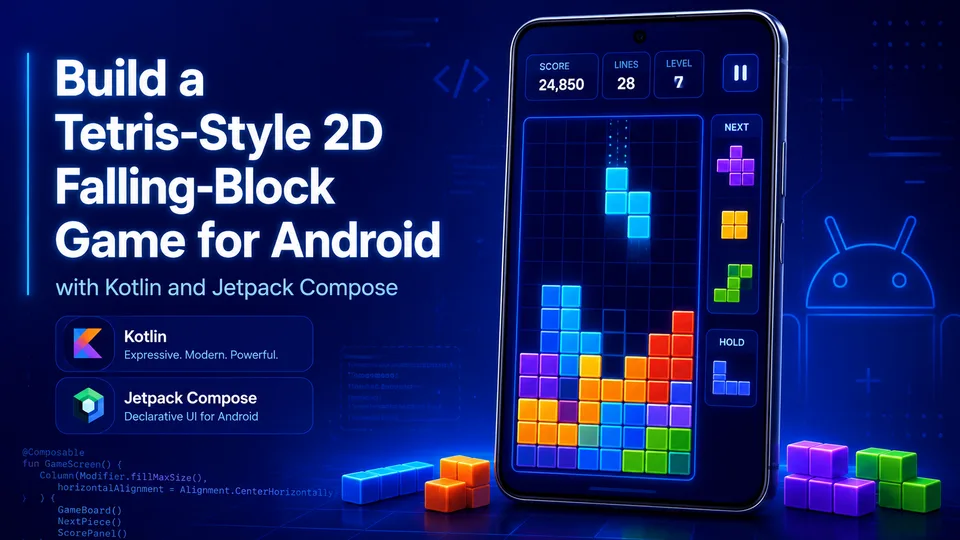
In this tutorial, you will build a native Android game that resembles the supplied visual reference: a deep-blue background, large score display, glowing grid, brightly colored blocks, pause control, and upcoming-piece preview. The implementation does not copy proprietary artwork or branding. Instead, it creates an original interface with a similar modern neon presentation.
The finished application includes:
- A 10-column by 16-row game board.
- Seven standard four-block piece shapes.
- Automatic downward movement.
- Left, right, rotate, soft-drop, and hard-drop controls.
- Collision detection and piece locking.
- Completed-line removal.
- Score, level, and high-score tracking.
- Pause, resume, restart, and game-over states.
- A next-piece preview.
- High-score persistence using Android
SharedPreferences. - Unit tests for the core game engine.
The project uses Kotlin and Jetpack Compose. Compose is Android's modern native UI toolkit, and its Canvas API is well suited to drawing a grid-based game because each cell can be rendered directly from state.
2. Problem Statement
A beginner can draw colored rectangles on a screen, but turning those rectangles into a playable game requires several systems to work together correctly:
- The active piece must move at a predictable interval.
- Pieces must stop at the bottom of the board or on top of locked blocks.
- Rotation must be rejected or adjusted when it would move a piece outside the board.
- Full rows must be removed without corrupting the grid.
- The score and level must update consistently.
- The UI must react immediately to player input.
- Timers must pause when the game pauses or ends.
- Device rotation and recomposition must not unexpectedly reset the game.
- The high score should survive app restarts.
Mixing all of this logic directly into one Android screen quickly creates code that is difficult to understand and test. A better solution separates the deterministic game rules from the Android UI.
The intended users are Android developers, Kotlin learners, students, and portfolio builders who want a complete small game rather than an incomplete animation demo.
3. Solution Overview
The application is divided into three main parts:
-
Game engine
A plain Kotlin class owns the board, active piece, next piece, movement rules, collision detection, line clearing, scoring, and game-over detection. -
State holder
An AndroidViewModelruns the timed game loop, receives player actions, exposes immutable state throughStateFlow, and saves the high score. -
Compose user interface
A Compose screen observes the game state, draws the board withCanvas, and sends button or gesture actions back to theViewModel.
From the player's perspective, the workflow is simple:
- Open the app.
- A piece begins falling.
- Use the controls to move or rotate it.
- Complete horizontal lines to clear them and earn points.
- The game speeds up as the level increases.
- Pause when needed.
- When no new piece can enter the board, the game ends.
- Tap Play Again to restart.
4. Features
Core gameplay
- Seven tetromino-style shapes: I, O, T, S, Z, J, and L.
- Automatic falling controlled by a coroutine-based game loop.
- Collision detection against walls, floor, and locked blocks.
- Rotation with small horizontal wall-kick attempts.
- Soft drop for controlled downward movement.
- Hard drop for instantly placing a piece.
- Full-row detection and removal.
- Increasing speed based on cleared lines.
- Game-over detection when a new piece cannot spawn.
Interface
- Neon blue vertical gradient background.
- Large score display.
- Persistent high-score display.
- Pause and resume button.
- Glowing grid with colorful cells.
- Next-piece preview panel.
- On-screen directional and action controls.
- Game-over overlay with restart button.
Persistence operations
A falling-block game is not a database CRUD application, so traditional record CRUD is not appropriate. The project still performs a small persistence lifecycle for the high score:
- Create: Save the first high-score value.
- Read: Load the saved high score when the
ViewModelstarts. - Update: Replace the stored value when the player beats it.
- Delete: Reset the stored high score through the optional reset method described later.
The gameplay board itself remains in memory because it changes many times per second and does not require a relational database.
Validation and error handling
- Illegal moves are ignored.
- Invalid rotations are rejected unless a small wall kick makes them valid.
- The game loop stops moving pieces while paused or after game over.
- The board dimensions and cell values remain controlled by the engine.
- High-score storage uses a private application preference file.
- UI actions are routed through typed methods rather than raw coordinates or strings.
5. Technology Stack
| Technology | Role | Why it was selected |
|---|---|---|
| Kotlin | Application and game logic | Kotlin is the preferred language for modern native Android development and provides concise immutable data models. |
| Android SDK | Native application platform | Provides lifecycle, persistence, packaging, emulator, and device integration. |
| Jetpack Compose | User interface | Enables declarative UI, state-driven rendering, and custom drawing without XML layouts. |
| Compose Canvas | Board and piece rendering | Provides precise control over cell positions, sizes, borders, highlights, and grid lines. |
| ViewModel | Lifecycle-aware state holder | Keeps game state separate from the screen and survives ordinary configuration changes. |
| StateFlow | Observable game state | Allows the UI to react predictably whenever score, board, piece, or status changes. |
| Kotlin Coroutines | Game timer | Runs the repeating drop loop without blocking the main thread. |
| SharedPreferences | Local high-score persistence | Appropriate for one small primitive value and requires no database dependency. |
| JUnit | Unit testing | Tests collision, movement, hard drop, and line-clearing behavior independently of Android UI. |
Google describes Jetpack Compose as Android's recommended modern toolkit for native UI, while Compose drawing APIs provide direct control over positions and sizes on a canvas. Android architecture guidance also recommends state holders such as ViewModel and observable UI state. These choices make the UI reactive while keeping the game rules independently testable.
6. Architecture Plan
High-level architecture
┌─────────────────────────────────────────────────────────┐
│                    Android Device                        │
│                                                         │
│  ┌───────────────────────────────────────────────────┐  │
│  │ Jetpack Compose UI                                │  │
│  │                                                   │  │
│  │ Score + High Score + Pause + Canvas + Controls   │  │
│  └───────────────────────┬───────────────────────────┘  │
│                          │ player actions / state        │
│  ┌───────────────────────▼───────────────────────────┐  │
│  │ GameViewModel                                     │  │
│  │ - StateFlow<GameState>                            │  │
│  │ - Coroutine game loop                             │  │
│  │ - High-score persistence                          │  │
│  └───────────────────────┬───────────────────────────┘  │
│                          │ engine commands               │
│  ┌───────────────────────▼───────────────────────────┐  │
│  │ GameEngine                                        │  │
│  │ - Board                                            │  │
│  │ - Active and next pieces                           │  │
│  │ - Collision and rotation                           │  │
│  │ - Locking, line clearing, score, level             │  │
│  └───────────────────────┬───────────────────────────┘  │
│                          │ high-score integer            │
│  ┌───────────────────────▼───────────────────────────┐  │
│  │ SharedPreferences                                 │  │
│  │ falling_blocks_preferences.xml                    │  │
│  └───────────────────────────────────────────────────┘  │
└─────────────────────────────────────────────────────────┘
Responsibilities
User interface
The Compose screen displays the current state. It does not decide whether a piece can move. It only calls methods such as moveLeft(), rotate(), or hardDrop().
ViewModel
The GameViewModel coordinates Android-specific behavior:
- Starts the coroutine loop.
- Calculates the delay from the current level.
- Pauses updates when the game is paused.
- Publishes new immutable state.
- Loads and stores the high score.
Game engine
The GameEngine contains the rules:
- Piece spawning.
- Board collision.
- Movement.
- Rotation.
- Locking.
- Row clearing.
- Scoring.
- Level calculation.
- Game-over detection.
Because the engine is plain Kotlin, it can be unit-tested without an emulator.
Local storage
SharedPreferences stores only the best score. The board and current session are intentionally not persisted in this minimal version.
Request and state flow
Player taps Rotate
    ↓
Compose calls viewModel.rotate()
    ↓
ViewModel calls engine.rotate()
    ↓
Engine validates candidate cells
    ↓
Engine updates active piece if valid
    ↓
ViewModel publishes GameState through StateFlow
    ↓
Compose recomposes and Canvas redraws the board
Recommended project structure
NeonBlocks/
├── build.gradle.kts
├── gradle.properties
├── settings.gradle.kts
└── app/
    ├── build.gradle.kts
    └── src/
        ├── main/
        │   ├── AndroidManifest.xml
        │   ├── java/com/example/neonblocks/
        │   │   ├── MainActivity.kt
        │   │   ├── game/
        │   │   │   ├── GameEngine.kt
        │   │   │   ├── GameModels.kt
        │   │   │   └── GameViewModel.kt
        │   │   └── ui/
        │   │       ├── GameScreen.kt
        │   │       └── theme/
        │   │           └── Theme.kt
        │   └── res/
        │       └── values/
        │           └── strings.xml
        └── test/
            └── java/com/example/neonblocks/game/
                └── GameEngineTest.kt
7. Data and State Design
This project does not need SQLite. A game board is a rapidly changing in-memory matrix, and using SQL for every falling step would add complexity without practical benefit.
Runtime model
| Model | Field | Type | Purpose |
|---|---|---|---|
Cell | row | Int | Vertical board coordinate. |
Cell | column | Int | Horizontal board coordinate. |
Piece | type | PieceType | Shape and color identity. |
Piece | rotation | Int | Rotation index from 0 through 3. |
Piece | row | Int | Piece origin row. |
Piece | column | Int | Piece origin column. |
GameState | board | List<List<Int>> | Locked cells; zero means empty. |
GameState | activePiece | Piece | Currently controlled piece. |
GameState | nextPiece | PieceType | Upcoming piece shown in the preview. |
GameState | score | Int | Current session score. |
GameState | highScore | Int | Best locally stored score. |
GameState | lines | Int | Total cleared rows. |
GameState | level | Int | Speed level calculated from lines. |
GameState | isPaused | Boolean | Whether automatic falling is suspended. |
GameState | isGameOver | Boolean | Whether no new piece can spawn. |
Cell encoding
The board stores integers:
| Value | Meaning |
|---|---|
0 | Empty |
1 | Cyan I piece |
2 | Yellow O piece |
3 | Purple T piece |
4 | Green S piece |
5 | Red Z piece |
6 | Blue J piece |
7 | Orange L piece |
High-score storage
The preference file contains one key:
Preference file: falling_blocks_preferences
Key: high_score
Type: Int
Default: 0
No schema migration is required for this single value. A future version that stores player profiles, achievements, or match history should use Room or another structured persistence layer.
8. Action Map
A local native game does not expose HTTP routes. The equivalent public interface is the GameViewModel action map.
| Action | Trigger | Engine operation | Expected result |
|---|---|---|---|
moveLeft() | Left control | move(-1, 0) | Active piece moves left if valid. |
moveRight() | Right control | move(1, 0) | Active piece moves right if valid. |
softDrop() | Down control | softDrop() | Piece moves down one row or locks. |
rotate() | Rotate control | rotate() | Piece rotates if valid, with small wall-kick attempts. |
hardDrop() | Drop control | hardDrop() | Piece moves to the lowest valid row and locks. |
togglePause() | Pause button | Toggles pause state | Game loop stops or resumes. |
restart() | Restart or Play Again | reset() | New empty board and score zero; high score remains. |
Automatic tick() | Coroutine timer | tick() | Piece falls one row or locks and spawns another. |
9. Step-by-Step Implementation Guide
Step 1: Install Android Studio
Install the current stable Android Studio release from the official Android developer website. Android Studio includes the Android SDK, emulator tools, Gradle integration, and Kotlin support.
Step 2: Create the project
In Android Studio:
- Select New Project.
- Choose Empty Activity.
- Use these values:
Name: NeonBlocks
Package name: com.example.neonblocks
Language: Kotlin
Minimum SDK: API 26 or higher
Build configuration language: Kotlin DSL- Finish creating the project.
- Let Gradle complete its initial synchronization.
Step 3: Replace the generated project files
Replace the generated files with the source code in Section 10. Create any missing directories exactly as shown in the project structure.
Step 4: Synchronize dependencies
From Android Studio, select:
File → Sync Project with Gradle FilesOr run from the project root:
./gradlew buildOn Windows:
gradlew.bat buildStep 5: Create an emulator
In Android Studio:
Tools → Device Manager → Add a new deviceA recent Pixel phone profile with an API 35 system image is a practical development target.
Step 6: Run the application
Select the emulator or a connected Android device and click Run.
You can also build a debug APK:
./gradlew assembleDebugThe APK is created at:
app/build/outputs/apk/debug/app-debug.apkStep 7: Verify the game
Confirm that:
- A colored piece appears near the top.
- It falls automatically.
- Left and right controls move it.
- Rotate changes its orientation.
- Down moves it one row.
- Drop places it immediately.
- Completed rows disappear.
- Pause freezes the game.
- The high score remains after closing and reopening the app.
10. Complete Runnable Source Code
The following files form the complete project-specific source. Android Studio supplies the Gradle wrapper scripts and wrapper JAR when the project is created.
settings.gradle.kts
pluginManagement {
    repositories {
        google()
        mavenCentral()
        gradlePluginPortal()
    }
}

dependencyResolutionManagement {
    repositoriesMode.set(RepositoriesMode.FAIL_ON_PROJECT_REPOS)
    repositories {
        google()
        mavenCentral()
    }
}

rootProject.name = "NeonBlocks"
include(":app")
build.gradle.kts
plugins {
    id("com.android.application") version "8.7.3" apply false
    id("org.jetbrains.kotlin.android") version "2.0.21" apply false
    id("org.jetbrains.kotlin.plugin.compose") version "2.0.21" apply false
}
gradle.properties
org.gradle.jvmargs=-Xmx2048m -Dfile.encoding=UTF-8
android.useAndroidX=true
kotlin.code.style=official
android.nonTransitiveRClass=true
app/build.gradle.kts
plugins {
    id("com.android.application")
    id("org.jetbrains.kotlin.android")
    id("org.jetbrains.kotlin.plugin.compose")
}

android {
    namespace = "com.example.neonblocks"
    compileSdk = 35

    defaultConfig {
        applicationId = "com.example.neonblocks"
        minSdk = 26
        targetSdk = 35
        versionCode = 1
        versionName = "1.0.0"

        testInstrumentationRunner = "androidx.test.runner.AndroidJUnitRunner"
    }

    buildFeatures {
        compose = true
    }

    packaging {
        resources {
            excludes += "/META-INF/{AL2.0,LGPL2.1}"
        }
    }

    compileOptions {
        sourceCompatibility = JavaVersion.VERSION_17
        targetCompatibility = JavaVersion.VERSION_17
    }

    kotlinOptions {
        jvmTarget = "17"
    }
}

dependencies {
    val composeBom = platform("androidx.compose:compose-bom:2024.12.01")

    implementation(composeBom)
    androidTestImplementation(composeBom)

    implementation("androidx.core:core-ktx:1.15.0")
    implementation("androidx.activity:activity-compose:1.10.0")
    implementation("androidx.lifecycle:lifecycle-runtime-ktx:2.8.7")
    implementation("androidx.lifecycle:lifecycle-runtime-compose:2.8.7")
    implementation("androidx.lifecycle:lifecycle-viewmodel-compose:2.8.7")
    implementation("androidx.compose.ui:ui")
    implementation("androidx.compose.ui:ui-graphics")
    implementation("androidx.compose.ui:ui-tooling-preview")
    implementation("androidx.compose.material3:material3")
    implementation("androidx.compose.material:material-icons-extended")

    testImplementation("junit:junit:4.13.2")

    androidTestImplementation("androidx.test.ext:junit:1.2.1")
    androidTestImplementation("androidx.test.espresso:espresso-core:3.6.1")
    androidTestImplementation("androidx.compose.ui:ui-test-junit4")

    debugImplementation("androidx.compose.ui:ui-tooling")
    debugImplementation("androidx.compose.ui:ui-test-manifest")
}
app/src/main/AndroidManifest.xml
<?xml version="1.0" encoding="utf-8"?>
<manifest xmlns:android="http://schemas.android.com/apk/res/android">

    <application
        android:allowBackup="true"
        android:label="@string/app_name"
        android:supportsRtl="true"
        android:theme="@style/Theme.AppCompat.NoActionBar">

        <activity
            android:name=".MainActivity"
            android:exported="true"
            android:screenOrientation="portrait">
            <intent-filter>
                <action android:name="android.intent.action.MAIN" />
                <category android:name="android.intent.category.LAUNCHER" />
            </intent-filter>
        </activity>

    </application>
</manifest>
The manifest above refers to an AppCompat theme that is not otherwise needed by Compose. Add the following small theme resource.
app/src/main/res/values/themes.xml
<?xml version="1.0" encoding="utf-8"?>
<resources>
    <style name="Theme.AppCompat.NoActionBar" parent="android:style/Theme.Material.Light.NoActionBar">
        <item name="android:fontFamily">sans</item>
        <item name="android:windowActionModeOverlay">true</item>
        <item name="android:windowNoTitle">true</item>
        <item name="android:colorAccent">#22D3EE</item>
        <item name="android:navigationBarColor">#080B4A</item>
        <item name="android:statusBarColor">#315CE8</item>
        <item name="android:windowLightStatusBar">false</item>
    </style>
</resources>
app/src/main/res/values/strings.xml
<?xml version="1.0" encoding="utf-8"?>
<resources>
    <string name="app_name">Neon Blocks</string>
</resources>
app/src/main/java/com/example/neonblocks/MainActivity.kt
package com.example.neonblocks

import android.os.Bundle
import androidx.activity.ComponentActivity
import androidx.activity.compose.setContent
import androidx.activity.enableEdgeToEdge
import com.example.neonblocks.ui.GameScreen
import com.example.neonblocks.ui.theme.NeonBlocksTheme

class MainActivity : ComponentActivity() {
    override fun onCreate(savedInstanceState: Bundle?) {
        super.onCreate(savedInstanceState)
        enableEdgeToEdge()

        setContent {
            NeonBlocksTheme {
                GameScreen()
            }
        }
    }
}
app/src/main/java/com/example/neonblocks/game/GameModels.kt
package com.example.neonblocks.game

const val BOARD_COLUMNS = 10
const val BOARD_ROWS = 16

data class Cell(
    val row: Int,
    val column: Int
)

enum class PieceType(
    val value: Int,
    val rotations: List<List<Cell>>
) {
    I(
        value = 1,
        rotations = listOf(
            listOf(Cell(1, 0), Cell(1, 1), Cell(1, 2), Cell(1, 3)),
            listOf(Cell(0, 2), Cell(1, 2), Cell(2, 2), Cell(3, 2)),
            listOf(Cell(2, 0), Cell(2, 1), Cell(2, 2), Cell(2, 3)),
            listOf(Cell(0, 1), Cell(1, 1), Cell(2, 1), Cell(3, 1))
        )
    ),
    O(
        value = 2,
        rotations = List(4) {
            listOf(Cell(0, 1), Cell(0, 2), Cell(1, 1), Cell(1, 2))
        }
    ),
    T(
        value = 3,
        rotations = listOf(
            listOf(Cell(0, 1), Cell(1, 0), Cell(1, 1), Cell(1, 2)),
            listOf(Cell(0, 1), Cell(1, 1), Cell(1, 2), Cell(2, 1)),
            listOf(Cell(1, 0), Cell(1, 1), Cell(1, 2), Cell(2, 1)),
            listOf(Cell(0, 1), Cell(1, 0), Cell(1, 1), Cell(2, 1))
        )
    ),
    S(
        value = 4,
        rotations = listOf(
            listOf(Cell(0, 1), Cell(0, 2), Cell(1, 0), Cell(1, 1)),
            listOf(Cell(0, 1), Cell(1, 1), Cell(1, 2), Cell(2, 2)),
            listOf(Cell(1, 1), Cell(1, 2), Cell(2, 0), Cell(2, 1)),
            listOf(Cell(0, 0), Cell(1, 0), Cell(1, 1), Cell(2, 1))
        )
    ),
    Z(
        value = 5,
        rotations = listOf(
            listOf(Cell(0, 0), Cell(0, 1), Cell(1, 1), Cell(1, 2)),
            listOf(Cell(0, 2), Cell(1, 1), Cell(1, 2), Cell(2, 1)),
            listOf(Cell(1, 0), Cell(1, 1), Cell(2, 1), Cell(2, 2)),
            listOf(Cell(0, 1), Cell(1, 0), Cell(1, 1), Cell(2, 0))
        )
    ),
    J(
        value = 6,
        rotations = listOf(
            listOf(Cell(0, 0), Cell(1, 0), Cell(1, 1), Cell(1, 2)),
            listOf(Cell(0, 1), Cell(0, 2), Cell(1, 1), Cell(2, 1)),
            listOf(Cell(1, 0), Cell(1, 1), Cell(1, 2), Cell(2, 2)),
            listOf(Cell(0, 1), Cell(1, 1), Cell(2, 0), Cell(2, 1))
        )
    ),
    L(
        value = 7,
        rotations = listOf(
            listOf(Cell(0, 2), Cell(1, 0), Cell(1, 1), Cell(1, 2)),
            listOf(Cell(0, 1), Cell(1, 1), Cell(2, 1), Cell(2, 2)),
            listOf(Cell(1, 0), Cell(1, 1), Cell(1, 2), Cell(2, 0)),
            listOf(Cell(0, 0), Cell(0, 1), Cell(1, 1), Cell(2, 1))
        )
    )
}

data class Piece(
    val type: PieceType,
    val rotation: Int = 0,
    val row: Int = 0,
    val column: Int = 3
) {
    fun cells(): List<Cell> =
        type.rotations[rotation % type.rotations.size].map { local ->
            Cell(
                row = row + local.row,
                column = column + local.column
            )
        }
}

data class GameState(
    val board: List<List<Int>>,
    val activePiece: Piece,
    val nextPiece: PieceType,
    val score: Int = 0,
    val highScore: Int = 0,
    val lines: Int = 0,
    val level: Int = 1,
    val isPaused: Boolean = false,
    val isGameOver: Boolean = false
)

fun emptyBoard(): List<MutableList<Int>> =
    MutableList(BOARD_ROWS) {
        MutableList(BOARD_COLUMNS) { 0 }
    }
app/src/main/java/com/example/neonblocks/game/GameEngine.kt
package com.example.neonblocks.game

import kotlin.math.max
import kotlin.random.Random

class GameEngine(
    private val random: Random = Random.Default
) {
    private var board: MutableList<MutableList<Int>> = emptyBoard()
    private var activePiece: Piece = newPiece(randomPieceType())
    private var nextPiece: PieceType = randomPieceType()
    private var score: Int = 0
    private var lines: Int = 0
    private var level: Int = 1
    private var isPaused: Boolean = false
    private var isGameOver: Boolean = false

    fun state(highScore: Int = 0): GameState =
        GameState(
            board = board.map { it.toList() },
            activePiece = activePiece,
            nextPiece = nextPiece,
            score = score,
            highScore = max(highScore, score),
            lines = lines,
            level = level,
            isPaused = isPaused,
            isGameOver = isGameOver
        )

    fun reset() {
        board = emptyBoard()
        score = 0
        lines = 0
        level = 1
        isPaused = false
        isGameOver = false
        activePiece = newPiece(randomPieceType())
        nextPiece = randomPieceType()
    }

    fun togglePause() {
        if (!isGameOver) {
            isPaused = !isPaused
        }
    }

    fun moveLeft(): Boolean = move(horizontal = -1, vertical = 0)

    fun moveRight(): Boolean = move(horizontal = 1, vertical = 0)

    fun softDrop(): Boolean {
        if (!canAcceptInput()) return false

        val moved = move(horizontal = 0, vertical = 1)
        if (moved) {
            score += 1
            return true
        }

        lockActivePiece()
        return false
    }

    fun tick() {
        if (!canAcceptInput()) return

        val moved = move(horizontal = 0, vertical = 1)
        if (!moved) {
            lockActivePiece()
        }
    }

    fun hardDrop() {
        if (!canAcceptInput()) return

        var distance = 0
        while (move(horizontal = 0, vertical = 1)) {
            distance += 1
        }

        score += distance * 2
        lockActivePiece()
    }

    fun rotate(): Boolean {
        if (!canAcceptInput()) return false

        val nextRotation = (activePiece.rotation + 1) % 4
        val kickOffsets = listOf(0, -1, 1, -2, 2)

        for (offset in kickOffsets) {
            val candidate = activePiece.copy(
                rotation = nextRotation,
                column = activePiece.column + offset
            )

            if (isValid(candidate)) {
                activePiece = candidate
                return true
            }
        }

        return false
    }

    private fun move(horizontal: Int, vertical: Int): Boolean {
        if (!canAcceptInput()) return false

        val candidate = activePiece.copy(
            row = activePiece.row + vertical,
            column = activePiece.column + horizontal
        )

        return if (isValid(candidate)) {
            activePiece = candidate
            true
        } else {
            false
        }
    }

    private fun canAcceptInput(): Boolean = !isPaused && !isGameOver

    private fun isValid(piece: Piece): Boolean =
        piece.cells().all { cell ->
            cell.column in 0 until BOARD_COLUMNS &&
                cell.row < BOARD_ROWS &&
                (cell.row < 0 || board[cell.row][cell.column] == 0)
        }

    private fun lockActivePiece() {
        activePiece.cells().forEach { cell ->
            if (cell.row in 0 until BOARD_ROWS &&
                cell.column in 0 until BOARD_COLUMNS
            ) {
                board[cell.row][cell.column] = activePiece.type.value
            }
        }

        val cleared = clearCompletedRows()
        updateScore(cleared)
        spawnNextPiece()
    }

    private fun clearCompletedRows(): Int {
        val remainingRows = board.filter { row ->
            row.any { value -> value == 0 }
        }

        val cleared = BOARD_ROWS - remainingRows.size
        val newRows = MutableList(cleared) {
            MutableList(BOARD_COLUMNS) { 0 }
        }

        board = (newRows + remainingRows.map { it.toMutableList() })
            .toMutableList()

        return cleared
    }

    private fun updateScore(clearedRows: Int) {
        val linePoints = when (clearedRows) {
            1 -> 100
            2 -> 300
            3 -> 500
            4 -> 800
            else -> 0
        }

        score += linePoints * level
        lines += clearedRows
        level = 1 + (lines / 10)
    }

    private fun spawnNextPiece() {
        activePiece = newPiece(nextPiece)
        nextPiece = randomPieceType()

        if (!isValid(activePiece)) {
            isGameOver = true
        }
    }

    private fun newPiece(type: PieceType): Piece =
        Piece(
            type = type,
            rotation = 0,
            row = -1,
            column = 3
        )

    private fun randomPieceType(): PieceType =
        PieceType.entries[random.nextInt(PieceType.entries.size)]

    internal fun replaceBoardForTest(newBoard: List<List<Int>>) {
        require(newBoard.size == BOARD_ROWS)
        require(newBoard.all { it.size == BOARD_COLUMNS })
        board = newBoard.map { it.toMutableList() }.toMutableList()
    }

    internal fun replaceActivePieceForTest(piece: Piece) {
        activePiece = piece
    }
}
app/src/main/java/com/example/neonblocks/game/GameViewModel.kt
package com.example.neonblocks.game

import android.app.Application
import androidx.lifecycle.AndroidViewModel
import androidx.lifecycle.viewModelScope
import kotlinx.coroutines.delay
import kotlinx.coroutines.flow.MutableStateFlow
import kotlinx.coroutines.flow.StateFlow
import kotlinx.coroutines.flow.asStateFlow
import kotlinx.coroutines.isActive
import kotlinx.coroutines.launch
import kotlin.math.max

class GameViewModel(application: Application) : AndroidViewModel(application) {
    private val preferences = application.getSharedPreferences(
        PREFERENCES_NAME,
        Application.MODE_PRIVATE
    )

    private val engine = GameEngine()
    private var savedHighScore = preferences.getInt(HIGH_SCORE_KEY, 0)

    private val _state = MutableStateFlow(engine.state(savedHighScore))
    val state: StateFlow<GameState> = _state.asStateFlow()

    init {
        startGameLoop()
    }

    fun moveLeft() = updateAfter { engine.moveLeft() }

    fun moveRight() = updateAfter { engine.moveRight() }

    fun softDrop() = updateAfter { engine.softDrop() }

    fun rotate() = updateAfter { engine.rotate() }

    fun hardDrop() = updateAfter { engine.hardDrop() }

    fun togglePause() = updateAfter { engine.togglePause() }

    fun restart() {
        engine.reset()
        publishState()
    }

    fun resetHighScore() {
        savedHighScore = 0
        preferences.edit().remove(HIGH_SCORE_KEY).apply()
        publishState()
    }

    private fun startGameLoop() {
        viewModelScope.launch {
            while (isActive) {
                val current = _state.value
                delay(dropDelayMillis(current.level))

                if (!current.isPaused && !current.isGameOver) {
                    engine.tick()
                    publishState()
                }
            }
        }
    }

    private fun updateAfter(action: () -> Unit) {
        action()
        publishState()
    }

    private fun publishState() {
        val latest = engine.state(savedHighScore)
        val best = max(savedHighScore, latest.score)

        if (best != savedHighScore) {
            savedHighScore = best
            preferences.edit().putInt(HIGH_SCORE_KEY, best).apply()
        }

        _state.value = latest.copy(highScore = savedHighScore)
    }

    private fun dropDelayMillis(level: Int): Long =
        (850L - ((level - 1) * 65L)).coerceAtLeast(120L)

    companion object {
        private const val PREFERENCES_NAME = "falling_blocks_preferences"
        private const val HIGH_SCORE_KEY = "high_score"
    }
}
app/src/main/java/com/example/neonblocks/ui/theme/Theme.kt
package com.example.neonblocks.ui.theme

import androidx.compose.foundation.isSystemInDarkTheme
import androidx.compose.material3.MaterialTheme
import androidx.compose.material3.darkColorScheme
import androidx.compose.runtime.Composable
import androidx.compose.ui.graphics.Color

private val NeonColorScheme = darkColorScheme(
    primary = Color(0xFF22D3EE),
    secondary = Color(0xFFA855F7),
    background = Color(0xFF080B4A),
    surface = Color(0xFF10145F),
    onPrimary = Color.White,
    onSecondary = Color.White,
    onBackground = Color.White,
    onSurface = Color.White
)

@Composable
fun NeonBlocksTheme(
    darkTheme: Boolean = isSystemInDarkTheme(),
    content: @Composable () -> Unit
) {
    MaterialTheme(
        colorScheme = NeonColorScheme,
        typography = MaterialTheme.typography,
        content = content
    )
}
app/src/main/java/com/example/neonblocks/ui/GameScreen.kt
package com.example.neonblocks.ui
import androidx.compose.foundation.Canvas
import androidx.compose.foundation.background
import androidx.compose.foundation.gestures.detectDragGestures
import androidx.compose.foundation.layout.Arrangement
import androidx.compose.foundation.layout.Box
import androidx.compose.foundation.layout.Column
import androidx.compose.foundation.layout.Row
import androidx.compose.foundation.layout.Spacer
import androidx.compose.foundation.layout.aspectRatio
import androidx.compose.foundation.layout.fillMaxSize
import androidx.compose.foundation.layout.fillMaxWidth
import androidx.compose.foundation.layout.height
import androidx.compose.foundation.layout.navigationBarsPadding
import androidx.compose.foundation.layout.padding
import androidx.compose.foundation.layout.size
import androidx.compose.foundation.shape.RoundedCornerShape
import androidx.compose.material.icons.Icons
import androidx.compose.material.icons.filled.ArrowDownward
import androidx.compose.material.icons.filled.ArrowLeft
import androidx.compose.material.icons.filled.ArrowRight
import androidx.compose.material.icons.filled.Pause
import androidx.compose.material.icons.filled.PlayArrow
import androidx.compose.material.icons.filled.Refresh
import androidx.compose.material.icons.filled.RotateRight
import androidx.compose.material.icons.filled.VerticalAlignBottom
import androidx.compose.material3.Button
import androidx.compose.material3.ButtonDefaults
import androidx.compose.material3.Icon
import androidx.compose.material3.IconButton
import androidx.compose.material3.IconButtonDefaults
import androidx.compose.material3.MaterialTheme
import androidx.compose.material3.Surface
import androidx.compose.material3.Text
import androidx.compose.runtime.Composable
import androidx.compose.runtime.getValue
import androidx.compose.ui.Alignment
import androidx.compose.ui.Modifier
import androidx.compose.ui.geometry.Offset
import androidx.compose.ui.geometry.Size
import androidx.compose.ui.graphics.Brush
import androidx.compose.ui.graphics.Color
import androidx.compose.ui.graphics.drawscope.DrawScope
import androidx.compose.ui.graphics.drawscope.Stroke
import androidx.compose.ui.input.pointer.pointerInput
import androidx.compose.ui.platform.LocalDensity
import androidx.compose.ui.text.font.FontWeight
import androidx.compose.ui.text.style.TextAlign
import androidx.compose.ui.unit.dp
import androidx.compose.ui.unit.sp
import androidx.lifecycle.compose.collectAsStateWithLifecycle
import androidx.lifecycle.viewmodel.compose.viewModel
import com.example.neonblocks.game.BOARD_COLUMNS
import com.example.neonblocks.game.BOARD_ROWS
import com.example.neonblocks.game.GameState
import com.example.neonblocks.game.GameViewModel
import com.example.neonblocks.game.PieceType
import kotlin.math.abs
@Composable
fun GameScreen(
gameViewModel: GameViewModel = viewModel()
) {
val state by gameViewModel.state.collectAsStateWithLifecycle()
val backgroundBrush = Brush.verticalGradient(
listOf(
Color(0xFF315CE8),
Color(0xFF10208F),
Color(0xFF080B4A)
)
)
Box(
modifier = Modifier
.fillMaxSize()
.background(backgroundBrush)
.navigationBarsPadding()
) {
Column(
modifier = Modifier
.fillMaxSize()
.padding(horizontal = 18.dp, vertical = 16.dp),
horizontalAlignment = Alignment.CenterHorizontally
) {
TopBar(
state = state,
onPause = gameViewModel::togglePause,
onRestart = gameViewModel::restart
)
Text(
text = "SCORE",
color = Color.White.copy(alpha = 0.9f),
fontWeight = FontWeight.Bold,
fontSize = 18.sp
)
Text(
text = state.score.toString().padStart(5, '0'),
color = Color.White,
fontWeight = FontWeight.Black,
fontSize = 50.sp,
lineHeight = 54.sp
)
Text(
text = "LEVEL ${state.level} • LINES ${state.lines}",
color = Color(0xFFBDEBFF),
fontWeight = FontWeight.SemiBold,
fontSize = 13.sp
)
Spacer(modifier = Modifier.height(12.dp))
GameBoard(
state = state,
modifier = Modifier
.fillMaxWidth()
.weight(1f),
onMoveLeft = gameViewModel::moveLeft,
onMoveRight = gameViewModel::moveRight,
onSoftDrop = gameViewModel::softDrop,
onRotate = gameViewModel::rotate
)
Spacer(modifier = Modifier.height(12.dp))
Row(
modifier = Modifier.fillMaxWidth(),
verticalAlignment = Alignment.CenterVertically,
horizontalArrangement = Arrangement.SpaceBetween
) {
NextPiecePreview(state.nextPiece)
Text(
text = "BEST\n${state.highScore}",
color = Color.White,
fontWeight = FontWeight.Bold,
textAlign = TextAlign.Center,
fontSize = 15.sp
)
Text(
text = if (state.isPaused) "PAUSED" else "NEON\nBLOCKS",
color = Color(0xFFBDEBFF),
fontWeight = FontWeight.Bold,
textAlign = TextAlign.Center,
fontSize = 14.sp
)
}
Spacer(modifier = Modifier.height(10.dp))
GameControls(
enabled = !state.isPaused && !state.isGameOver,
onLeft = gameViewModel::moveLeft,
onRight = gameViewModel::moveRight,
onDown = gameViewModel::softDrop,
onRotate = gameViewModel::rotate,
onHardDrop = gameViewModel::hardDrop
)
}
if (state.isGameOver) {
GameOverOverlay(
score = state.score,
highScore = state.highScore,
onRestart = gameViewModel::restart
)
}
}
}
@Composable
private fun TopBar(
state: GameState,
onPause: () -> Unit,
onRestart: () -> Unit
) {
Row(
modifier = Modifier.fillMaxWidth(),
horizontalArrangement = Arrangement.SpaceBetween,
verticalAlignment = Alignment.CenterVertically
) {
Text(
text = "🏆 ${state.highScore}",
color = Color.White,
fontWeight = FontWeight.ExtraBold,
fontSize = 18.sp
)
Row {
IconButton(
onClick = onRestart,
colors = IconButtonDefaults.iconButtonColors(
contentColor = Color.White
)
) {
Icon(
imageVector = Icons.Default.Refresh,
contentDescription = "Restart game"
)
}
IconButton(
onClick = onPause,
enabled = !state.isGameOver,
colors = IconButtonDefaults.iconButtonColors(
contentColor = Color.White
)
) {
Icon(
imageVector = if (state.isPaused) {
Icons.Default.PlayArrow
} else {
Icons.Default.Pause
},
contentDescription = if (state.isPaused) {
"Resume game"
} else {
"Pause game"
}
)
}
}
}
}
@Composable
private fun GameBoard(
state: GameState,
modifier: Modifier = Modifier,
onMoveLeft: () -> Unit,
onMoveRight: () -> Unit,
onSoftDrop: () -> Unit,
onRotate: () -> Unit
) {
val swipeThreshold = with(LocalDensity.current) { 28.dp.toPx() }
Canvas(
modifier = modifier
.aspectRatio(BOARD_COLUMNS.toFloat() / BOARD_ROWS.toFloat())
.pointerInput(state.isPaused, state.isGameOver) {
if (!state.isPaused && !state.isGameOver) {
detectDragGestures(
onDragEnd = {},
onDrag = { change, dragAmount ->
change.consume()
val x = dragAmount.x
val y = dragAmount.y
when {
abs(x) > abs(y) && x > swipeThreshold ->
onMoveRight()
abs(x) > abs(y) && x < -swipeThreshold ->
onMoveLeft()
y > swipeThreshold ->
onSoftDrop()
y < -swipeThreshold ->
onRotate()
}
}
)
}
}
) {
val cellSize = minOf(
size.width / BOARD_COLUMNS,
size.height / BOARD_ROWS
)
val boardWidth = cellSize * BOARD_COLUMNS
val boardHeight = cellSize * BOARD_ROWS
val left = (size.width - boardWidth) / 2f
val top = (size.height - boardHeight) / 2f
drawRoundRect(
brush = Brush.verticalGradient(
listOf(
Color(0xFF121A73),
Color(0xFF070A3E)
)
),
topLeft = Offset(left, top),
size = Size(boardWidth, boardHeight),
cornerRadius = androidx.compose.ui.geometry.CornerRadius(8.dp.toPx())
)
drawGrid(
left = left,
top = top,
cellSize = cellSize,
boardWidth = boardWidth,
boardHeight = boardHeight
)
state.board.forEachIndexed { row, values ->
values.forEachIndexed { column, value ->
if (value != 0) {
drawCell(
row = row,
column = column,
value = value,
left = left,
top = top,
cellSize = cellSize
)
}
}
}
state.activePiece.cells().forEach { cell ->
if (cell.row >= 0) {
drawCell(
row = cell.row,
column = cell.column,
value = state.activePiece.type.value,
left = left,
top = top,
cellSize = cellSize
)
}
}
drawRoundRect(
color = Color(0xFF5577FF),
topLeft = Offset(left, top),
size = Size(boardWidth, boardHeight),
cornerRadius = androidx.compose.ui.geometry.CornerRadius(8.dp.toPx()),
style = Stroke(width = 3.dp.toPx())
)
}
}
private fun DrawScope.drawGrid(
left: Float,
top: Float,
cellSize: Float,
boardWidth: Float,
boardHeight: Float
) {
val gridColor = Color(0xFF3652C4).copy(alpha = 0.42f)
for (column in 0..BOARD_COLUMNS) {
val x = left + column * cellSize
drawLine(
color = gridColor,
start = Offset(x, top),
end = Offset(x, top + boardHeight),
strokeWidth = 1.2f
)
}
for (row in 0..BOARD_ROWS) {
val y = top + row * cellSize
drawLine(
color = gridColor,
start = Offset(left, y),
end = Offset(left + boardWidth, y),
strokeWidth = 1.2f
)
}
}
private fun DrawScope.drawCell(
row: Int,
column: Int,
value: Int,
left: Float,
top: Float,
cellSize: Float
) {
val padding = cellSize * 0.055f
val cellColor = blockColor(value)
val position = Offset(
x = left + column * cellSize + padding,
y = top + row * cellSize + padding
)
val cellDimension = cellSize - padding * 2
drawRoundRect(
color = cellColor,
topLeft = position,
size = Size(cellDimension, cellDimension),
cornerRadius = androidx.compose.ui.geometry.CornerRadius(
cellSize * 0.08f
)
)
drawRoundRect(
color = Color.White.copy(alpha = 0.24f),
topLeft = Offset(
position.x + cellSize * 0.08f,
position.y + cellSize * 0.07f
),
size = Size(
cellDimension - cellSize * 0.16f,
cellSize * 0.09f
),
cornerRadius = androidx.compose.ui.geometry.CornerRadius(
cellSize * 0.04f
)
)
drawRoundRect(
color = Color.White.copy(alpha = 0.16f),
topLeft = position,
size = Size(cellDimension, cellDimension),
cornerRadius = androidx.compose.ui.geometry.CornerRadius(
cellSize * 0.08f
),
style = Stroke(width = cellSize * 0.055f)
)
}
@Composable
private fun NextPiecePreview(pieceType: PieceType) {
Surface(
modifier = Modifier.size(width = 88.dp, height = 60.dp),
shape = RoundedCornerShape(10.dp),
color = Color(0xFF11145C).copy(alpha = 0.75f),
tonalElevation = 4.dp
) {
Canvas(modifier = Modifier.padding(8.dp)) {
val cells = pieceType.rotations.first()
val cellSize = minOf(size.width / 4f, size.height / 3f)
val minColumn = cells.minOf { it.column }
val maxColumn = cells.maxOf { it.column }
val minRow = cells.minOf { it.row }
val maxRow = cells.maxOf { it.row }
val width = (maxColumn - minColumn + 1) * cellSize
val height = (maxRow - minRow + 1) * cellSize
val left = (size.width - width) / 2f
val top = (size.height - height) / 2f
cells.forEach { cell ->
drawRoundRect(
color = blockColor(pieceType.value),
topLeft = Offset(
left + (cell.column - minColumn) * cellSize,
top + (cell.row - minRow) * cellSize
),
size = Size(cellSize * 0.9f, cellSize * 0.9f),
cornerRadius = androidx.compose.ui.geometry.CornerRadius(
cellSize * 0.12f
)
)
}
}
}
}
@Composable
private fun GameControls(
enabled: Boolean,
onLeft: () -> Unit,
onRight: () -> Unit,
onDown: () -> Unit,
onRotate: () -> Unit,
onHardDrop: () -> Unit
) {
Row(
modifier = Modifier.fillMaxWidth(),
horizontalArrangement = Arrangement.SpaceEvenly
) {
ControlButton(
enabled = enabled,
onClick = onLeft,
icon = {
Icon(Icons.Default.ArrowLeft, contentDescription = "Move left")
}
)
ControlButton(
enabled = enabled,
onClick = onRotate,
icon = {
Icon(Icons.Default.RotateRight, contentDescription = "Rotate")
}
)
ControlButton(
enabled = enabled,
onClick = onDown,
icon = {
Icon(Icons.Default.ArrowDownward, contentDescription = "Soft drop")
}
)
ControlButton(
enabled = enabled,
onClick = onHardDrop,
icon = {
Icon(
Icons.Default.VerticalAlignBottom,
contentDescription = "Hard drop"
)
}
)
ControlButton(
enabled = enabled,
onClick = onRight,
icon = {
Icon(Icons.Default.ArrowRight, contentDescription = "Move right")
}
)
}
}
@Composable
private fun ControlButton(
enabled: Boolean,
onClick: () -> Unit,
icon: @Composable () -> Unit
) {
IconButton(
onClick = onClick,
enabled = enabled,
modifier = Modifier.size(52.dp),
colors = IconButtonDefaults.iconButtonColors(
containerColor = Color(0xFF354ED3),
contentColor = Color.White,
disabledContainerColor = Color(0xFF29306F),
disabledContentColor = Color.White.copy(alpha = 0.35f)
)
) {
icon()
}
}
@Composable
private fun GameOverOverlay(
score: Int,
highScore: Int,
onRestart: () -> Unit
) {
Box(
modifier = Modifier
.fillMaxSize()
.background(Color(0xCC05072F)),
contentAlignment = Alignment.Center
) {
Surface(
modifier = Modifier
.fillMaxWidth()
.padding(30.dp),
shape = RoundedCornerShape(24.dp),
color = Color(0xFF12166A),
shadowElevation = 18.dp
) {
Column(
modifier = Modifier.padding(28.dp),
horizontalAlignment = Alignment.CenterHorizontally
) {
Text(
text = "GAME OVER",
color = Color.White,
fontWeight = FontWeight.Black,
fontSize = 30.sp
)
Spacer(modifier = Modifier.height(12.dp))
Text(
text = "Score: $score\nBest: $highScore",
color = Color(0xFFBDEBFF),
textAlign = TextAlign.Center,
fontSize = 18.sp
)
Spacer(modifier = Modifier.height(20.dp))
Button(
onClick = onRestart,
colors = ButtonDefaults.buttonColors(
containerColor = Color(0xFF22C1E8),
contentColor = Color(0xFF07104A)
)
) {
Icon(
imageVector = Icons.Default.PlayArrow,
contentDescription = null
)
Text(
text = "PLAY AGAIN",
modifier = Modifier.padding(start = 8.dp),
fontWeight = FontWeight.Bold
)
}
}
}
}
}
private fun blockColor(value: Int): Color =
when (value) {
1 -> Color(0xFF22D3EE)
2 -> Color(0xFFFFC928)
3 -> Color(0xFFA855F7)
4 -> Color(0xFF58C91A)
5 -> Color(0xFFF12B1A)
6 -> Color(0xFF178BF2)
7 -> Color(0xFFFF8A1F)
else -> Color.Transparent
}app/src/test/java/com/example/neonblocks/game/GameEngineTest.kt
package com.example.neonblocks.game

import org.junit.Assert.assertEquals
import org.junit.Assert.assertFalse
import org.junit.Assert.assertTrue
import org.junit.Test
import kotlin.random.Random

class GameEngineTest {

    @Test
    fun movingLeftChangesPieceColumn() {
        val engine = GameEngine(Random(1))
        engine.replaceActivePieceForTest(
            Piece(type = PieceType.T, row = 1, column = 4)
        )

        val before = engine.state().activePiece.column
        val moved = engine.moveLeft()
        val after = engine.state().activePiece.column

        assertTrue(moved)
        assertEquals(before - 1, after)
    }

    @Test
    fun pieceCannotMoveBeyondLeftWall() {
        val engine = GameEngine(Random(2))
        engine.replaceActivePieceForTest(
            Piece(type = PieceType.O, row = 1, column = -1)
        )

        val moved = engine.moveLeft()

        assertFalse(moved)
        assertEquals(-1, engine.state().activePiece.column)
    }

    @Test
    fun hardDropLocksPieceOnBoard() {
        val engine = GameEngine(Random(3))
        engine.replaceActivePieceForTest(
            Piece(type = PieceType.O, row = 0, column = 3)
        )

        engine.hardDrop()

        val lockedCellCount = engine.state().board
            .flatten()
            .count { it != 0 }

        assertEquals(4, lockedCellCount)
        assertTrue(engine.state().score > 0)
    }

    @Test
    fun completedRowIsCleared() {
        val engine = GameEngine(Random(4))
        val board = emptyBoard()

        for (column in 0 until BOARD_COLUMNS) {
            board[BOARD_ROWS - 1][column] = 5
        }

        board[BOARD_ROWS - 1][4] = 0
        board[BOARD_ROWS - 1][5] = 0

        engine.replaceBoardForTest(board)
        engine.replaceActivePieceForTest(
            Piece(
                type = PieceType.O,
                row = BOARD_ROWS - 2,
                column = 3
            )
        )

        engine.hardDrop()

        assertEquals(1, engine.state().lines)
        assertTrue(engine.state().score >= 100)
    }
}
11. Setup and Installation
Prerequisites
- Android Studio, current stable version.
- JDK 17. Android Studio normally includes a compatible runtime.
- Android SDK Platform 35 installed.
- An Android emulator or physical Android device.
- Git is optional but recommended.
Create the project
mkdir NeonBlocks
cd NeonBlocks
For the smoothest setup, create the initial Empty Activity project in Android Studio so the Gradle wrapper is generated automatically. Then replace the files with those in this tutorial.
Verify Java
java -versionThe output should indicate Java 17.
Build the project
macOS or Linux:
./gradlew clean buildWindows:
gradlew.bat clean buildRun unit tests
macOS or Linux:
./gradlew testWindows:
gradlew.bat testInstall the debug APK on a connected device
./gradlew installDebugLaunch from Android Studio
- Open the project.
- Wait for Gradle sync.
- Select an emulator or device.
- Click the green Run button.
Development notes
- This project requires no API keys.
- It requests no dangerous Android permissions.
- It does not use the network.
- The high score is stored privately inside the app's sandbox.
- Debug builds are for local development and should not be distributed as production releases.
12. Testing Instructions
Automated tests
Run:
./gradlew testExpected result:
BUILD SUCCESSFULThe tests verify:
- Left movement.
- Wall collision.
- Hard-drop locking.
- Completed-row clearing.
Manual test checklist
| Test | Steps | Expected outcome |
|---|---|---|
| Start game | Launch the app. | A piece appears and begins falling automatically. |
| Move left | Tap the left arrow repeatedly. | Piece moves left but never passes through the wall. |
| Move right | Tap the right arrow repeatedly. | Piece moves right but never passes through the wall. |
| Rotate | Tap the rotate control. | Piece rotates when space is available. |
| Soft drop | Tap the down control. | Piece moves down one row and score increases slightly. |
| Hard drop | Tap the hard-drop control. | Piece immediately lands, locks, and a new piece appears. |
| Collision | Stack pieces and move another onto them. | Active piece stops and locks instead of overlapping. |
| Clear one row | Fill every cell in one horizontal row. | Row disappears and the score increases. |
| Pause | Tap pause. | Automatic falling stops and movement controls are disabled. |
| Resume | Tap play. | Falling resumes. |
| Restart | Tap restart. | Board clears and the current score returns to zero. |
| Game over | Stack blocks to the top. | Game-over overlay appears and input is disabled. |
| Play again | Tap Play Again. | A new game starts with an empty board. |
| High score | Earn points, close the app, and reopen it. | Best score remains visible. |
| Rotation resilience | Rotate the device if orientation lock is removed. | ViewModel retains state through normal configuration change. |
Persistence verification
- Play until the high score is greater than zero.
- Swipe the app away from recent apps.
- Reopen the app.
- Confirm that the trophy and BEST value still show the saved score.
To clear application data during development:
adb shell pm clear com.example.neonblocksThis removes the high score and all private app data.
13. Troubleshooting
| Symptom | Likely cause | Fix |
|---|---|---|
Plugin ... was not found | Gradle repositories or plugin versions are incorrect. | Confirm pluginManagement includes google(), mavenCentral(), and gradlePluginPortal(). Sync again. |
Unsupported class file major version | Gradle is using the wrong JDK. | Configure Gradle to use Android Studio's embedded JDK 17. |
compileSdk 35 not found | SDK Platform 35 is not installed. | Open SDK Manager and install Android SDK Platform 35. |
Unresolved reference: compose | Gradle sync failed or Compose plugin is missing. | Confirm the Compose plugin and dependencies in both Gradle files, then sync. |
Unresolved reference: collectAsStateWithLifecycle | Lifecycle Compose dependency is missing or Gradle did not synchronize. | Confirm implementation("androidx.lifecycle:lifecycle-runtime-compose:2.8.7") is present, then synchronize Gradle. |
| App launches to a blank screen | An exception occurred during composition. | Open Logcat, filter by the package name, and inspect the first stack trace. |
| Manifest theme resource is missing | themes.xml was not created in the correct folder. | Create app/src/main/res/values/themes.xml exactly as shown. |
| Blocks fall too quickly | Level is high or delay formula was changed. | Increase the starting value in dropDelayMillis(). |
| Swipe gestures feel too sensitive | Drag threshold is too low. | Increase 28.dp in GameBoard. |
| Touch controls do nothing | Game is paused or over. | Resume or restart the game. |
| High score does not persist | App data is being cleared or a different package is installed. | Confirm the package name and avoid clearing app storage between runs. |
| Unit test cannot access helper methods | Test package does not match the engine package. | Keep the test in com.example.neonblocks.game. |
INSTALL_FAILED_UPDATE_INCOMPATIBLE | A differently signed app with the same package is installed. | Uninstall the older app, then install again. |
| Emulator is slow | Hardware acceleration or emulator resources are limited. | Enable virtualization and use a recent x86_64 or arm64 emulator image appropriate for the host. |
| Build works in IDE but not terminal | Terminal uses a different Java version. | Set JAVA_HOME to Android Studio's JDK 17 or run Gradle from the IDE terminal. |
14. Production and Security Guidance
The included application is appropriate for learning, portfolio demonstrations, prototypes, and offline casual play. Publishing a commercial game requires additional work.
What the tutorial implements
- Offline native gameplay.
- Local high-score storage.
- No network access.
- No user accounts.
- No advertising SDK.
- No analytics SDK.
- No in-app purchases.
- No sensitive permissions.
- Basic unit tests.
- A portrait-only interface.
What a production release should add
Original branding and intellectual-property review
Do not publish the app under the name Tetris, copy its logos, reproduce protected artwork, or imply official affiliation. Create an original name, icon, store listing, screenshots, sounds, visual system, and gameplay identity. Obtain legal advice when commercial risk matters.
Robust save-state support
A ViewModel survives normal configuration changes but not guaranteed process death. Save a serializable snapshot of the board, piece, score, and queue through SavedStateHandle, DataStore, or Room if session restoration is required.
DataStore or Room
SharedPreferences is acceptable for one integer. Use Preferences DataStore for modern key-value settings, or Room for structured records such as:
- Player profiles.
- Achievements.
- Match history.
- Daily challenges.
- Settings.
- Purchased themes.
Input and lifecycle handling
- Pause when the app moves to the background.
- Resume only after explicit player confirmation.
- Prevent duplicate rapid actions where needed.
- Test different refresh rates and screen sizes.
- Support accessibility labels and larger touch targets.
Performance
- Profile recomposition and frame rendering.
- Avoid allocating unnecessary lists every frame in a more advanced engine.
- Consider immutable persistent collections or compact primitive arrays.
- Test on lower-end physical devices.
- Use Baseline Profiles for faster startup if the project grows.
Quality assurance
- Add tests for every piece and rotation.
- Add tests for multi-line clears.
- Add game-over tests.
- Add Compose UI tests.
- Add screenshot tests.
- Test process death and restoration.
- Run static analysis and lint in continuous integration.
./gradlew lint testRelease signing
Create a protected release key and never commit it to source control. Store signing values in local or CI secrets.
Configuration management
Do not hardcode backend URLs, ad identifiers, store secrets, or API credentials. Use Gradle build configuration, local properties excluded from Git, and a secure CI secret manager.
Networking security
This tutorial does not use a backend. If online leaderboards are added:
- Use HTTPS only.
- Authenticate users.
- Validate scores server-side.
- Do not trust client-submitted scores.
- Apply rate limiting.
- Add replay or tamper defenses.
- Log suspicious submissions.
- Publish a privacy policy.
Logging and crash monitoring
Use structured logging during development and a privacy-conscious crash reporting platform for production. Avoid recording personal or sensitive data.
Dependency management
- Keep Android Gradle Plugin, Kotlin, Compose, and AndroidX dependencies updated together.
- Run dependency and vulnerability checks.
- Review release notes before upgrades.
- Remove unused libraries.
Store readiness
Before a Google Play release:
- Build an Android App Bundle.
- Configure release signing.
- Create an adaptive launcher icon.
- Add content rating information.
- Complete the Data safety form.
- Provide a privacy policy when required.
- Test internal and closed tracks.
- Verify target API requirements current at the time of release.
Build a release bundle with:
./gradlew bundleReleaseBackups
High scores are not critical data, but online accounts or purchases would require:
- Managed production storage.
- Automated backups.
- Restore testing.
- Data-retention rules.
- Account deletion workflows.
Docker and reverse proxy guidance
Docker, Nginx, PostgreSQL, migrations, CSRF protection, cookies, and server rate limiting are not needed for this offline Android-only core project. They become relevant only when a backend service is introduced for accounts, cloud saves, leaderboards, multiplayer, or purchases.
A future backend could use:
Android App
    ↓ HTTPS
Nginx / Managed Load Balancer
    ↓
FastAPI or Flask API
    ↓
PostgreSQL + Redis
The mobile app should never connect directly to PostgreSQL.
15. Conclusion
You built a complete native Android falling-block puzzle game with Kotlin and Jetpack Compose. The project includes a reusable game engine, collision detection, movement, rotation, hard and soft drops, line clearing, scoring, levels, game-over handling, a next-piece preview, a timed coroutine loop, and persistent local high scores.
More importantly, the architecture separates game rules from Android presentation. That separation makes the project easier to test, maintain, and expand.
Practical next enhancements include:
- Ghost-piece landing preview.
- Hold-piece functionality.
- Seven-piece bag randomization.
- Sound effects and background music.
- Haptic feedback.
- Animated line clearing.
- Themes and unlockable block skins.
- Saved game restoration.
- Accessibility improvements.
- Local achievements with Room.
- Cloud leaderboards with a secure API.
- Daily challenges.
- Compose UI tests.
- Google Play release automation.
With those additions—and original branding—the project can grow from a learning exercise into a polished portfolio game or a foundation for a larger Android puzzle title.